
How to set up an automatic reply on your mailbox?
Our hosting plans offer the ability to create auto-replies on your mailboxes. For example, you can set up an auto-reply to indicate that you are away.
To create an auto-reply:
- Log in to your cPanel
- In the "Email" section, choose "Autoresponders"
- Select a domain then click "Add Autoresponder"
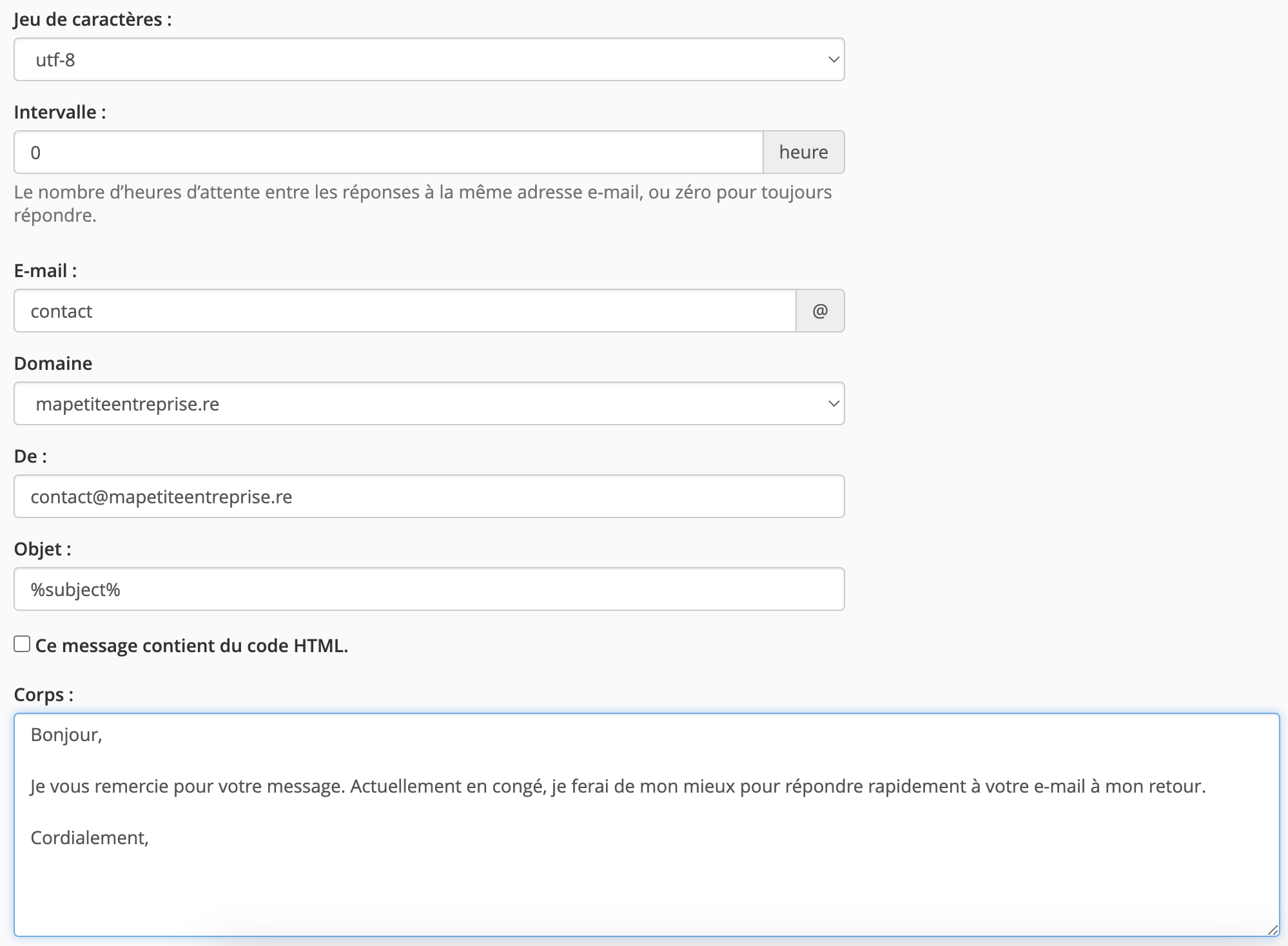
- Fill in:
- the email response interval (0 if you want it to be immediate)
- the mailbox affected by this auto-reply using the "Email" field
- the email address you want to display for this auto-reply using the "From" field
- the email subject (%subject%, if you want the reply email to keep the same subject as the sender's email)
- And add your message in the "Body"
- Select when you want this auto-reply to be active and when it should stop, then click "Create".

Updated on: 21/02/2026
Thank you!