
How do I modify the PHP options of my hosting?
You can easily customize your hosting's PHP settings to suit the specific needs of each domain or subdomain. These settings are saved in a file called php.ini.
Thanks to the tool included with your hosting, you can adjust variables such as:
display_errors: to enable or disable the display of PHP errors (useful for debugging),memory_limit: to set the maximum memory a script can use,upload_max_filesize: to adjust the maximum size of uploaded files,max_execution_time: to set the maximum execution time of a script,- and many others.
With these options, you can easily optimize the performance, security, and compatibility of your websites.
Here are the instructions for changing your PHP settings:
- Log in to your cPanel
- In the "Software" section, choose "MultiPHP INI Editor"
- Choose the site for which you want the PHP options:

- Choose the options you want to change:
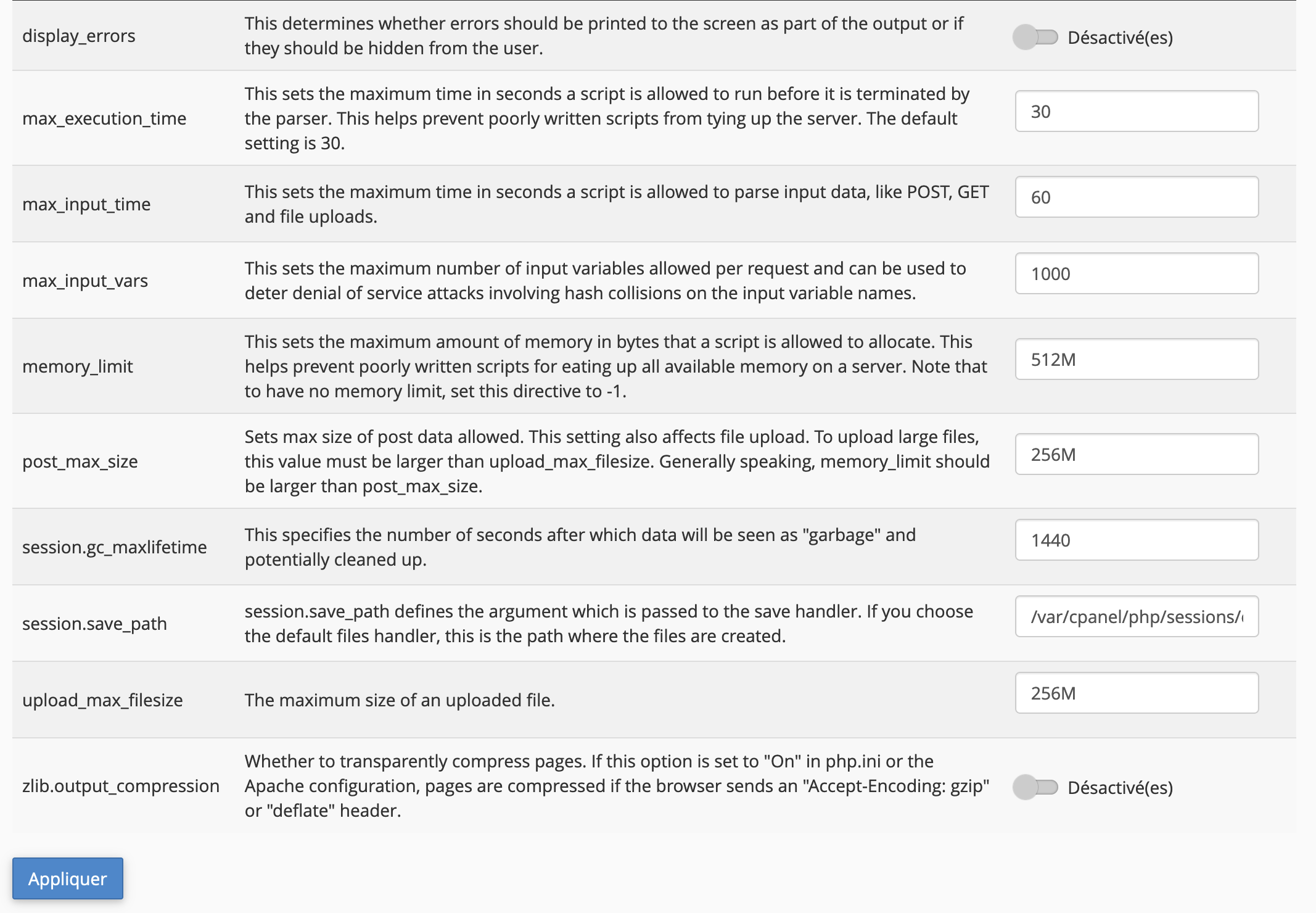
- Click "Apply"
If you're an expert, you can write a custom php.ini by clicking the "Editor Mode" tab.
Warning: for security reasons, options related to command execution (exec, passthru, shell_exec, system) can only be changed upon request to our technical support.
Updated on: 17/07/2026
Thank you!