
How to access your hosting via SSH?
If you are on the MINISITE plan, SSH access is not available. You will need to upgrade your plan to benefit from it.
Warning: for security reasons, the SSH port at Hodi is not port 22 but port 22974.
Username
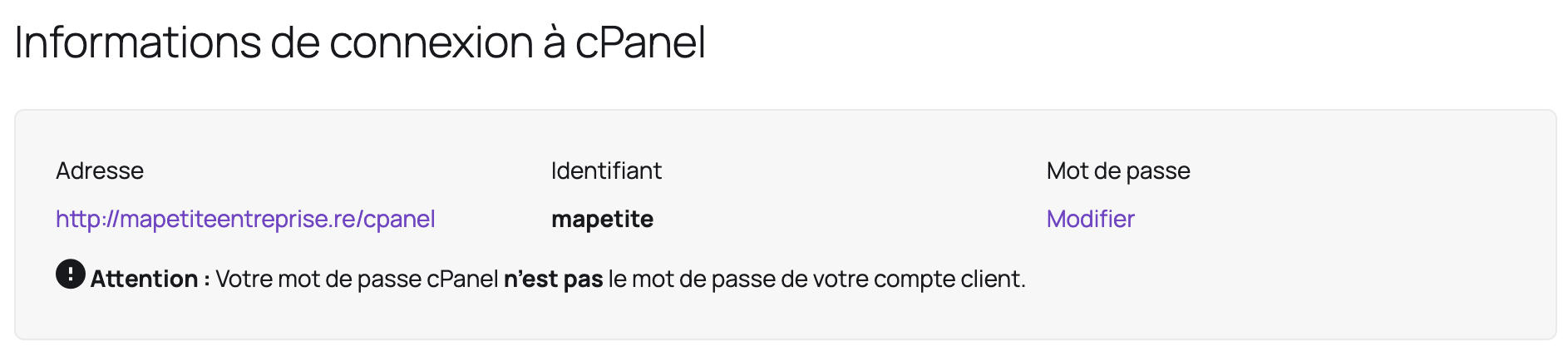
The username to use is your cPanel username which you can find in your client area under the "My Services" section:
- Click on the relevant hosting plan:
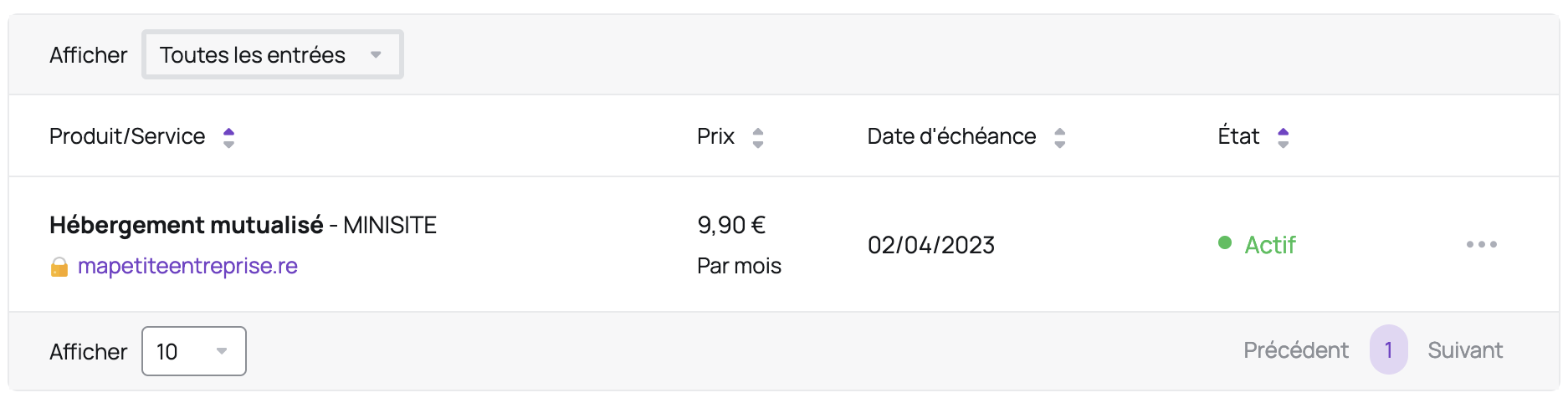
- Your username is located in the "cPanel Login Details" area:
Password
SSH access is possible with your cPanel password.
SSH Key
Here are the instructions to add an SSH key:
- Log in to your cPanel
- In the "Security" section, choose "SSH Access"
- Click the "Manage SSH Keys" button
- Click the "Import Key" button
- Give your SSH key a name
- Paste your public key in "Paste the public key into the following text box" (the other fields can be ignored)
- Click the "Import" button
- In the "Public Keys" section, click the "Manage" link next to the newly imported key
- Click the "Authorize" button
Updated on: 21/02/2026
Thank you!