
Your site displays an unexplained 508 "Resource Limit Is Reached" error

If you get a 508 error, your site is using all the resources allocated to it because there are too many connections. Don't worry, there are several solutions, but if you don't understand everything written on this page, simply send the link to this page to your developer so they can figure it out for you. In any case, as soon as you drop below the resources allocated to your site, the service will automatically recover on its own.
If the error occurs every time you send a newsletter, consider using batch delivery to prevent all visitors from arriving on your site at the same time and overloading your resources: click here to learn how to do it with Mailchimp for example.
But keep reading anyway
How to check your resource usage?
First, you can view the resource usage history of your hosting in Metrics > Resource Usage. The home screen will tell you if you have exceeded your resources:
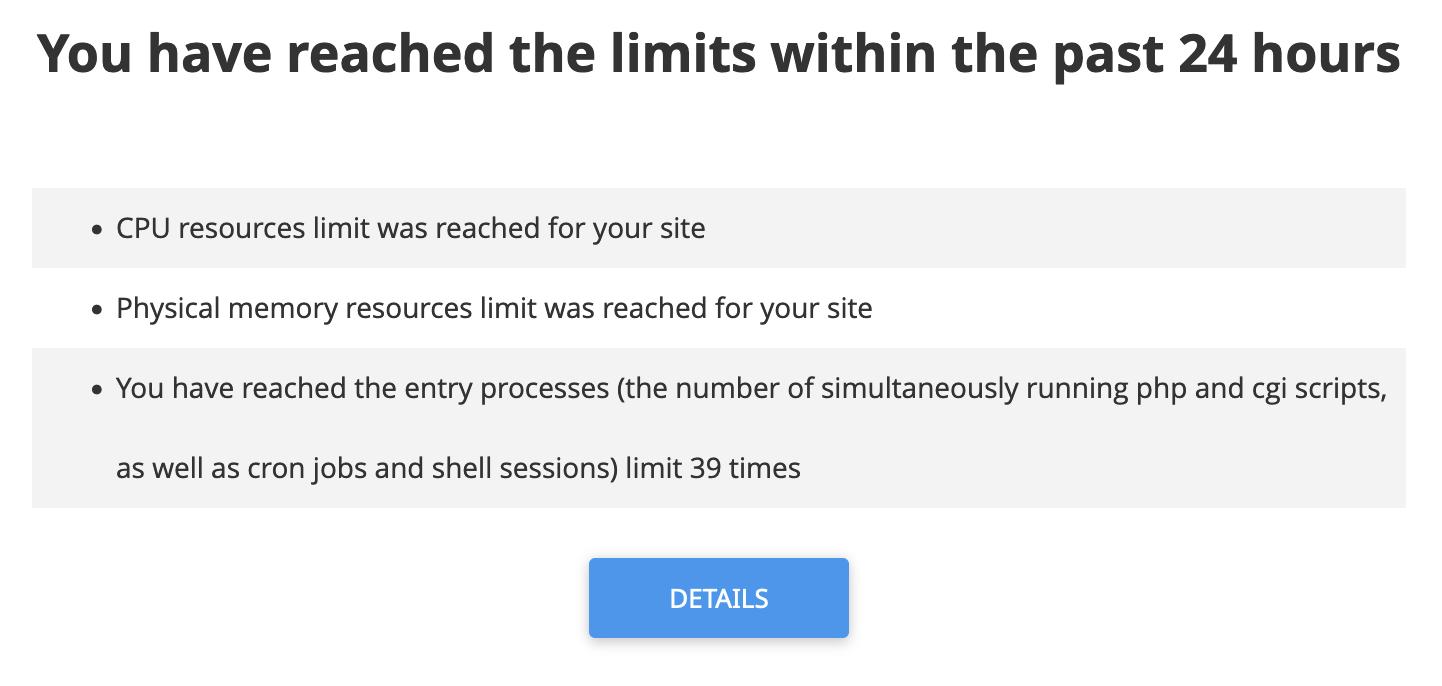 lick on "Details" to see your resource usage history and current consumption. On the same page, you will find graphs showing when you exceed your resources.
What are the most common causes?
The most common reason is that you disabled the NGINX cache that we offer when you were developing your site and forgot to re-enable it. But don't panic, click here to learn all about it and re-enable it. Caching greatly reduces resource usage and is particularly useful during high traffic. Also remember to check that caching is allowed by your site (i.e., it has not been blocked by your site with a Cache-Control: max-age=0, no-store, no-cache header for example).
It may also be that your site needs some optimizations to be more performant and consume fewer resources. You can see what consumes the most resources using the PHP X-Ray tool. You will need to wait for the error to disappear before running the test.
It could also be an attack on your site or a malicious script on your hosting. Feel free to check the log files in cPanel under Metrics > Raw Access to see if there is anything unfamiliar. You can also run an antivirus/anti-malware scan of your hosting through Security > cpGuard, then clicking on Scan > Manual scan in the menu and finally the Run scan button.
How to fix this?
If you find that your hosting is too tight, you can upgrade your plan at any time, and don't worry, you can also downgrade if the traffic spike was temporary. There is no commitment and in case of a downgrade, we will credit you for the unused time on the previous plan.
You can also book an appointment with one of our optimization experts and we can offer you a custom quote for optimizing your site.
Updated on: 21/02/2026
Thank you!