
How to create mailboxes or redirections?
Our hosting plans allow you to create email accounts using your domain name. For example, you can create a contact@mapetiteentreprise.re mailbox to replace mapetiteentreprise@monfournisseurdacces.fr.
To create a new mailbox:
- Log in to your cPanel
- In the "Email" section, choose "Email Accounts"
- Click the "+ Create" button
- Enter the account name and password:
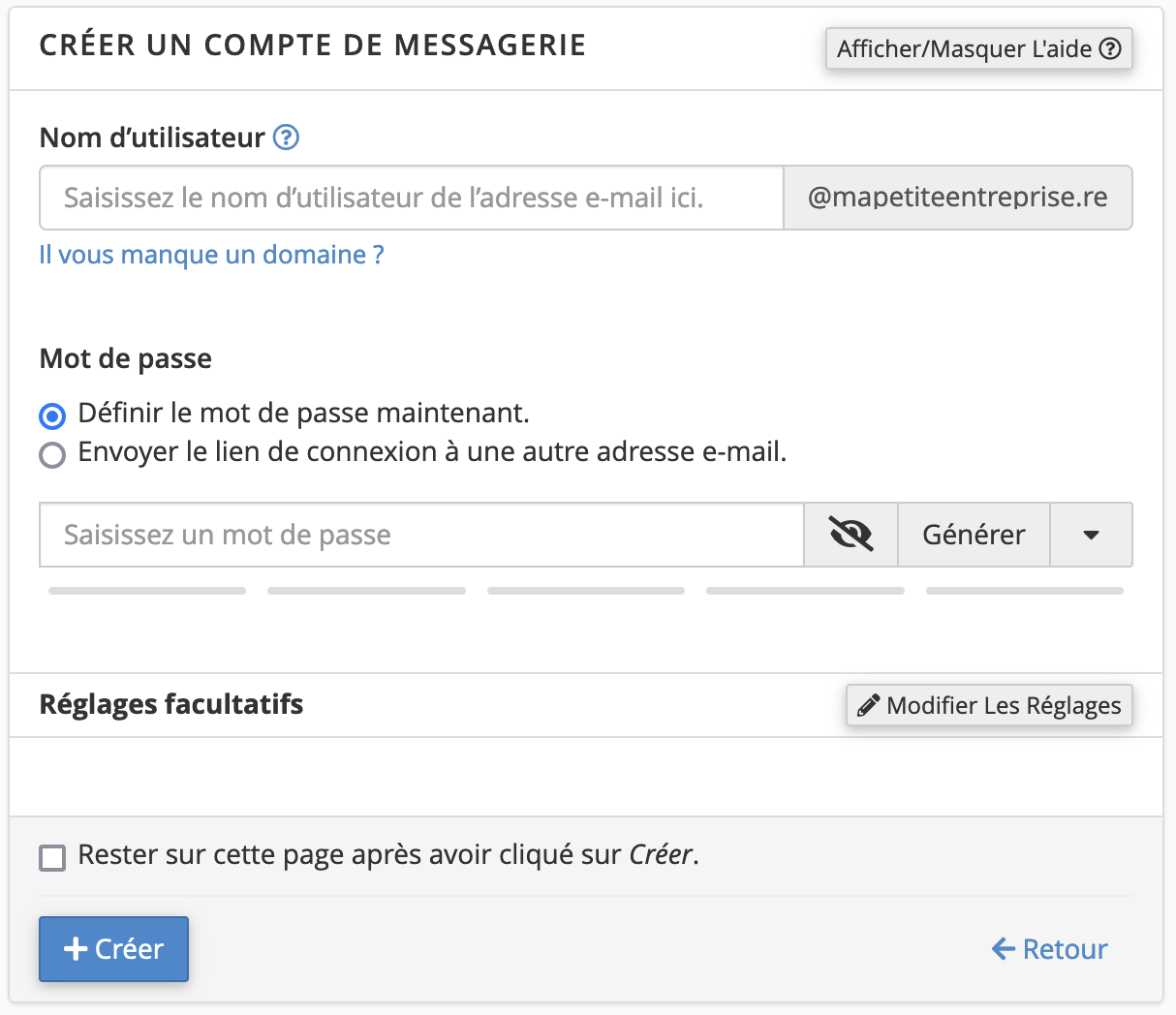
- If you wish, you will find the storage space allocated to the mailbox in the optional settings.
You can also create redirects if needed, whether to an email account hosted with us or elsewhere:
- In the "Email" section, choose "Forwarders"
- Click the "Add Forwarder" button
- Enter the address to forward, and its destination:
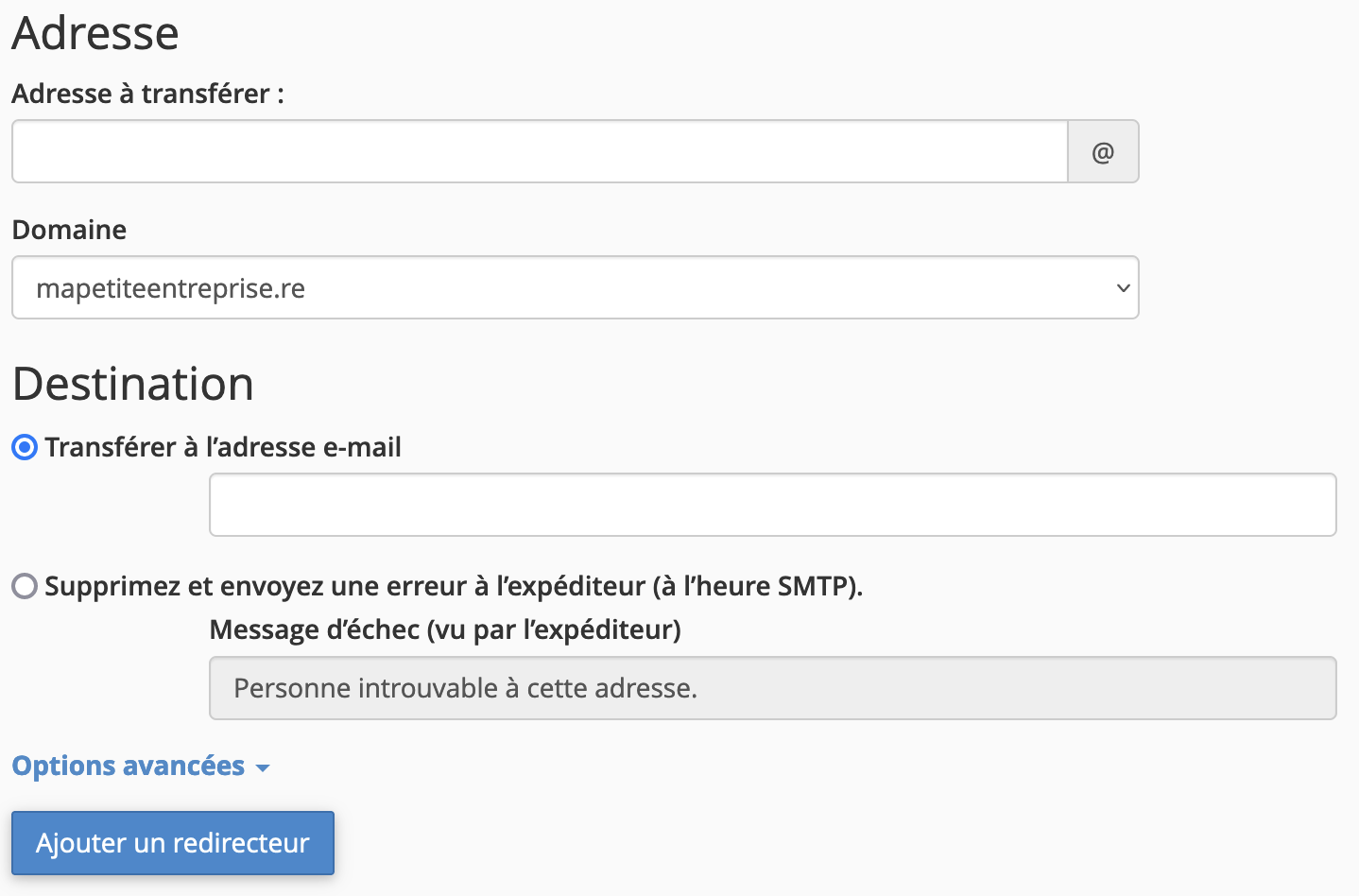
- If you need to forward the same address to multiple addresses, simply enter the different addresses in the "Forward to email address" field, separated by commas.
The domain forwarder is used to forward all emails from one domain to another domain. This is useful if you have, for example, two domains, such as mapetiteentreprise.re and mapetiteentreprise.fr. This way, all emails sent to mapetiteentreprise.fr will be forwarded to the mapetiteentreprise.re addresses.
Updated on: 21/02/2026
Thank you!