
How to reduce the usage of my disk space?
How to find large files on my server?
- Log in to your cPanel
- In the "Files" section, choose "Disk Usage"
- Wait a moment until "Loading" disappears — the duration depends on the number of files on your server
- Scroll down to "Sort directories by" and click on "Disk Usage"
- You will then see your directories, sorted by size, and you can click the chevron on the left for details about subdirectories (the "mail" directory contains your emails):
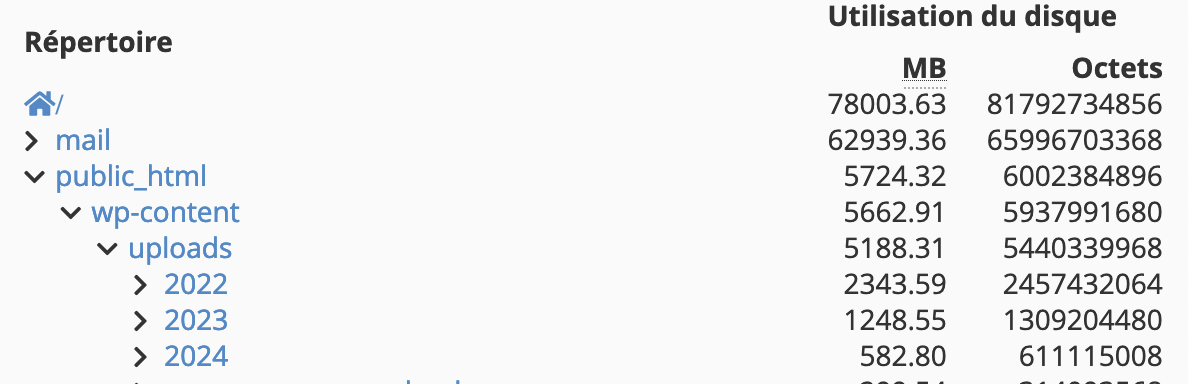
- By clicking on a directory name, it opens in the File Manager which allows you to delete files and folders by clicking "Delete".
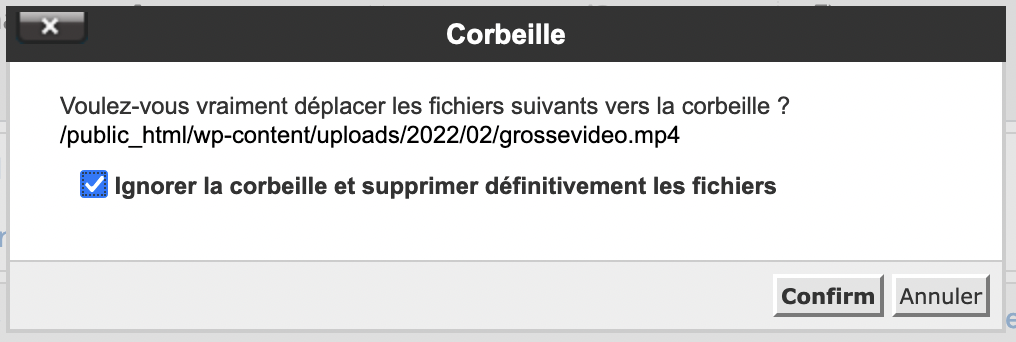
- Remember to check "Skip Trash and permanently delete the files" otherwise the files will be in your trash and will still consume space:
We recommend hosting videos on third-party services such as YouTube or Vimeo, for example.
If you accidentally delete a file, you can restore it using our backups.
How to clean up my WordPress database?
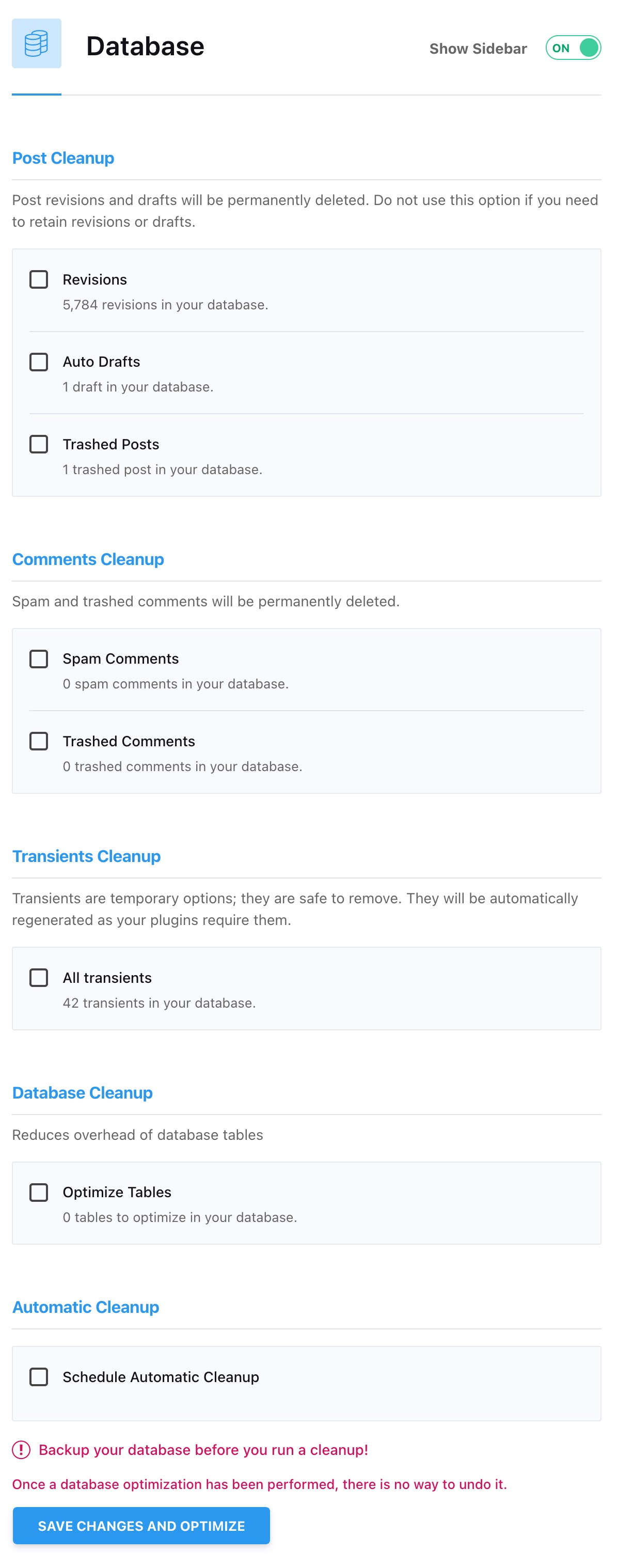
WordPress stores various content in its database that may not be useful to you, such as different versions of your posts. You can use AccelerateWP to clean up your database on a one-time or regular basis in the Database section:
How to clean up mailboxes?
- Log in to your cPanel
- In the "Email" section, choose "Email Accounts"
- Click on "Used" in the "Storage" section: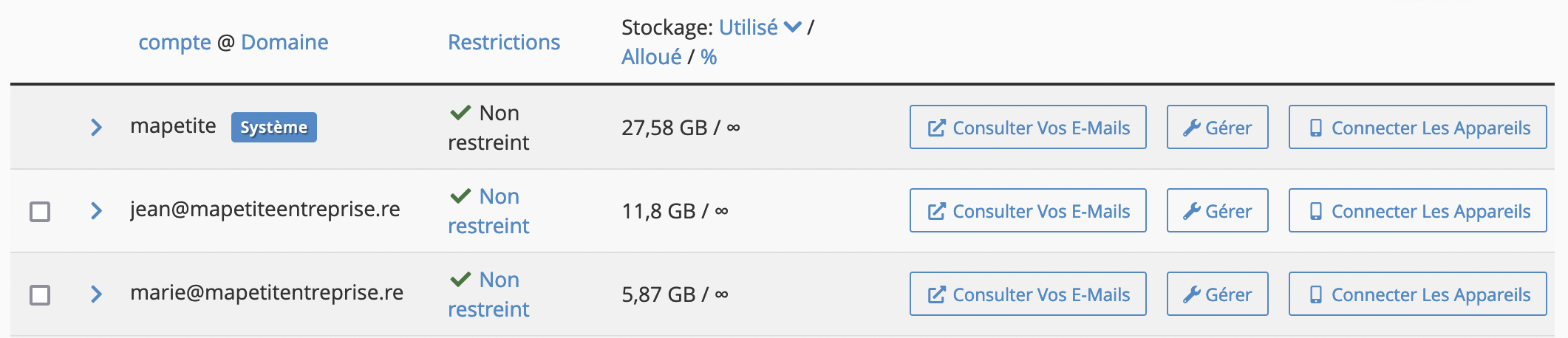
- The account with the "System" label is the default account of your hosting, where certain emails may arrive depending on your server configuration (for example, error emails, scheduled task logs, etc.).
- Click the "Manage" button for the mailbox you want to clean up.
- In the "More actions" column, click on "Free up email storage"
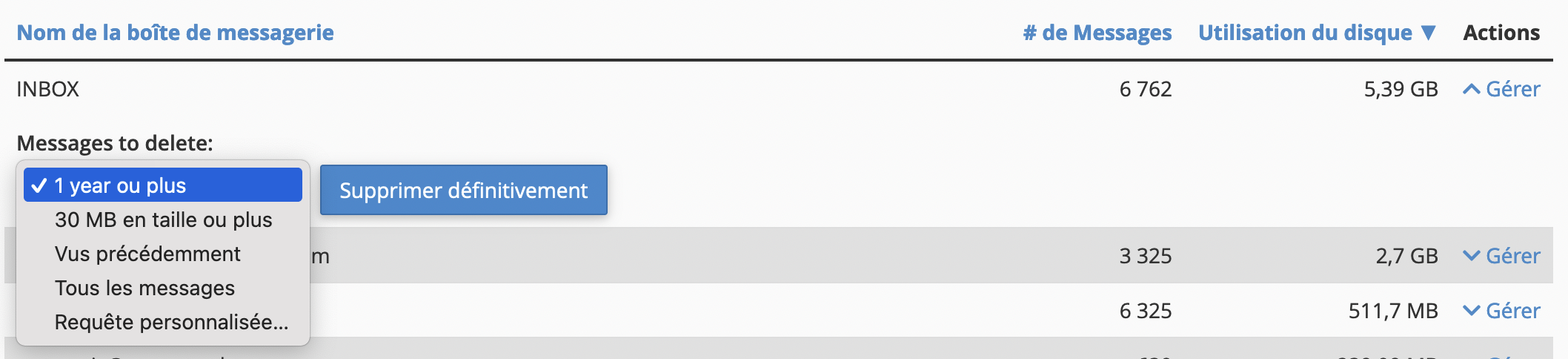
- The different folders of the mailbox are displayed, and by clicking on "Manage" you can purge messages according to predefined rules or rules that you can customize:
The "Free up email storage" feature is also available to your users from the webmail, so you can invite them to clean up their own mailbox.
Updated on: 21/02/2026
Thank you!