
How to change the DNS servers of a domain name?
You can change your DNS servers at any time, for example if you want to use Cloudflare.
- Log in to your client area
- In the "My Account" menu, go to "Domain Names"
- Click on the three dots at the end of the line corresponding to your domain name:
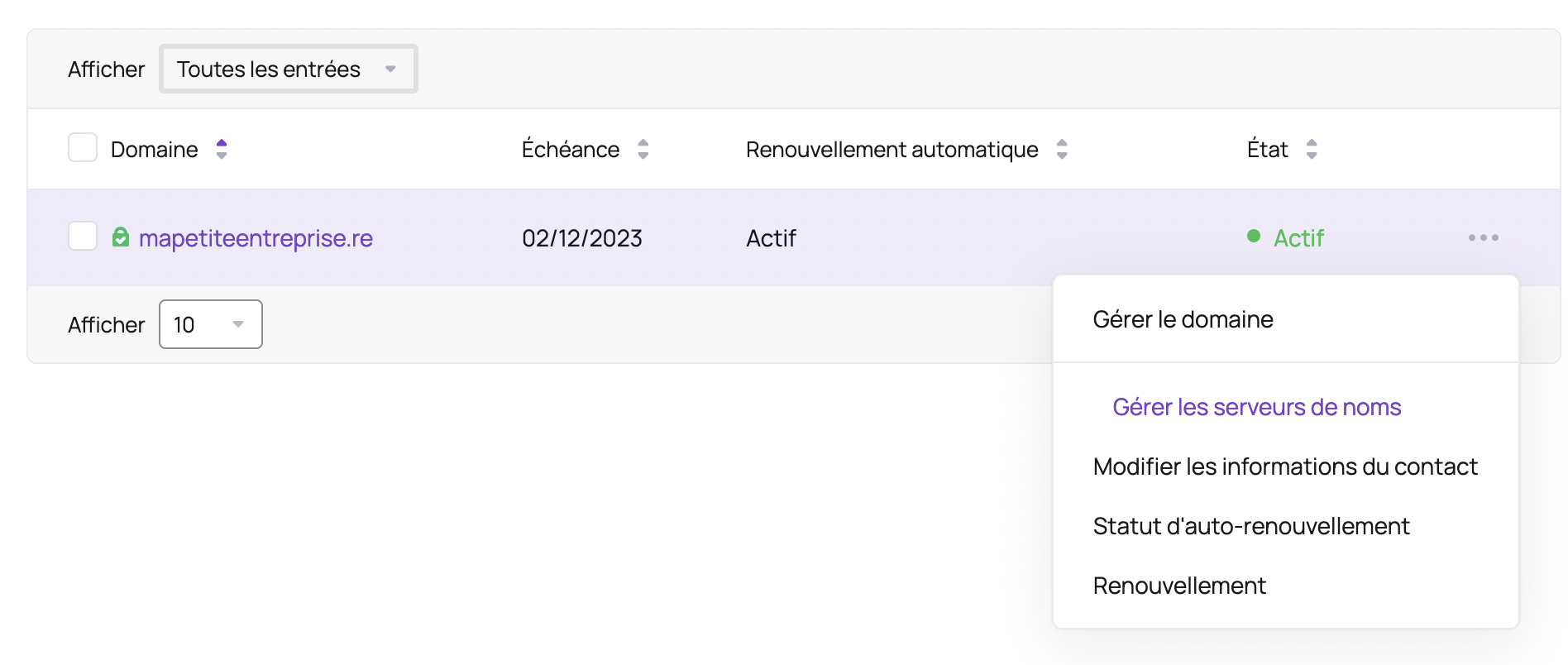
- Choose the "Manage Name Servers" option
- Check the box "Use custom nameservers (enter below)" and enter the desired DNS servers:
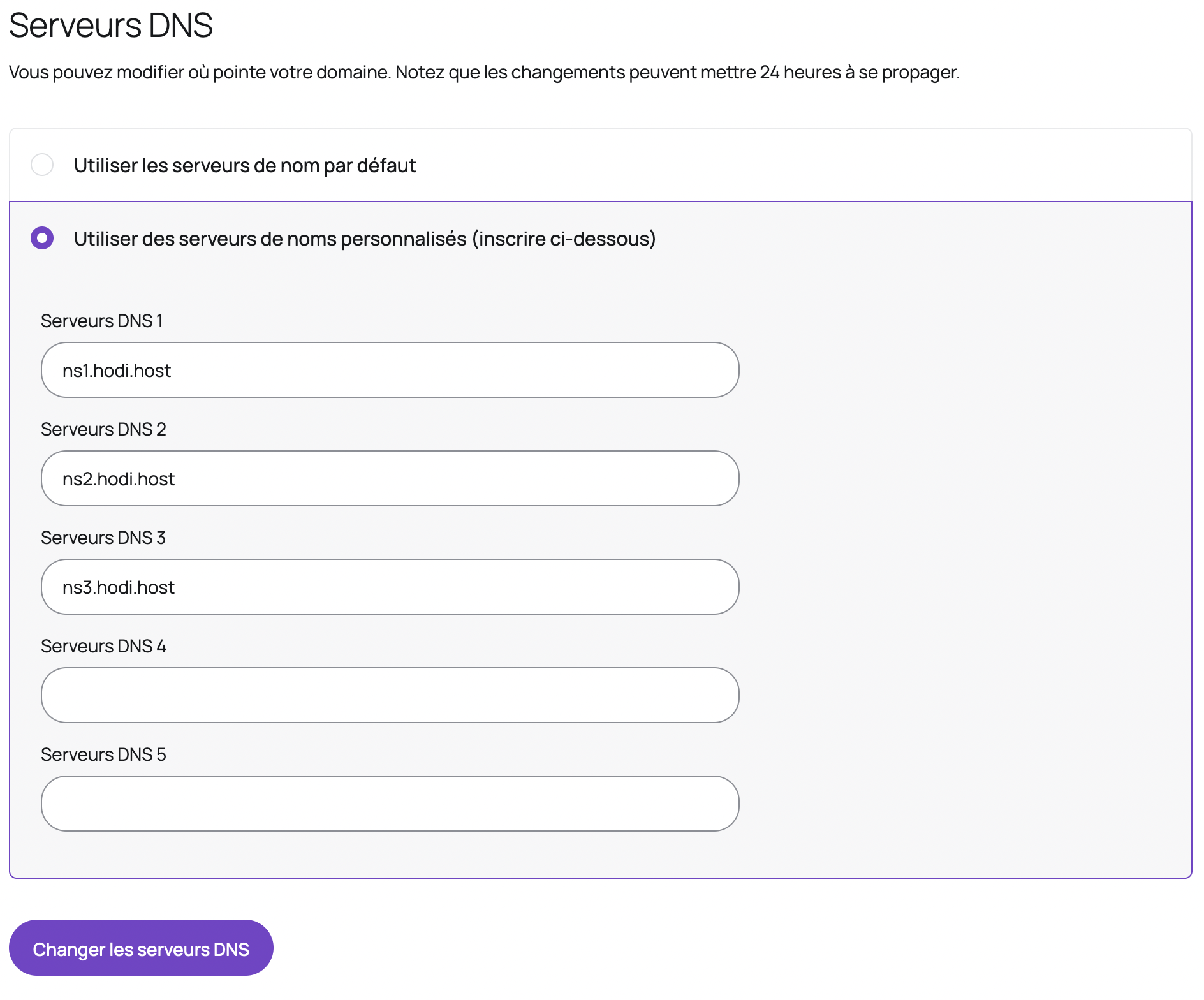
- Click "Change DNS Servers"
Warning: an incorrect modification of your DNS servers could cause your site to become inaccessible or block your email delivery.
Updated on: 21/02/2026
Thank you!