
You don't see the changes on your site?
For the sake of efficiency (learn more about our approach), we use a caching solution on our servers: NGINX.
When you update your website, the update may take up to 1 hour to become visible, but you can, from cPanel, choose to clear the cache manually, or even temporarily disable it via the "NGINX Cache" section on the right side of your screen:
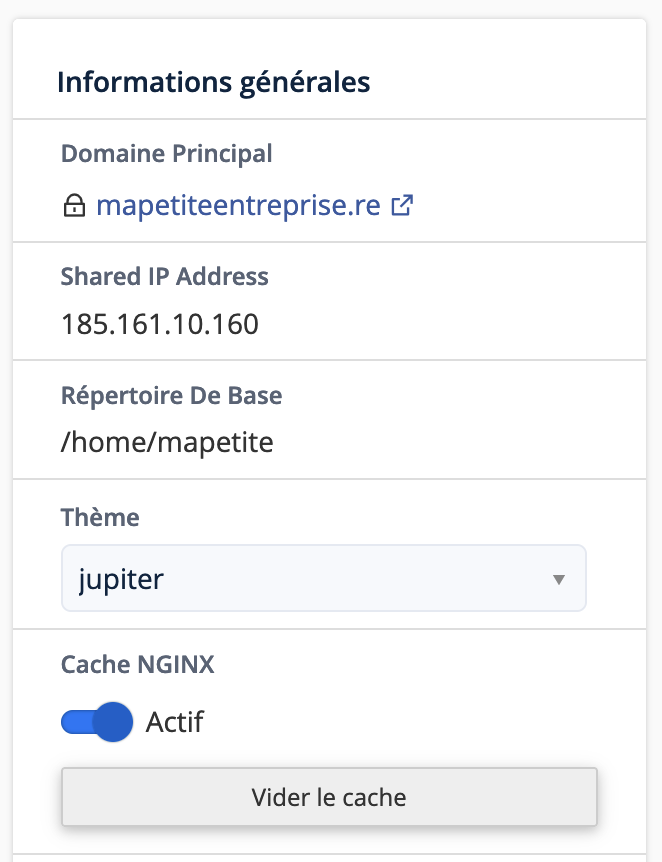
Your developer can also adjust the cache duration via the Cache-Control header (learn more).
Also remember to clear your browser cache and re-enable the NGINX cache once you have finished making your changes.
You can also clear the cache via SSH or through a cron job using the command uapi NginxCaching clear_cache.
Updated on: 21/02/2026
Thank you!