
How do I access my hosting via SSH?
If you're on the MINISITE plan, SSH access isn't available. You'll need to change your plan to get it.
Warning: for security reasons, Hodi's SSH port is not port 22 but port 22974.
Username
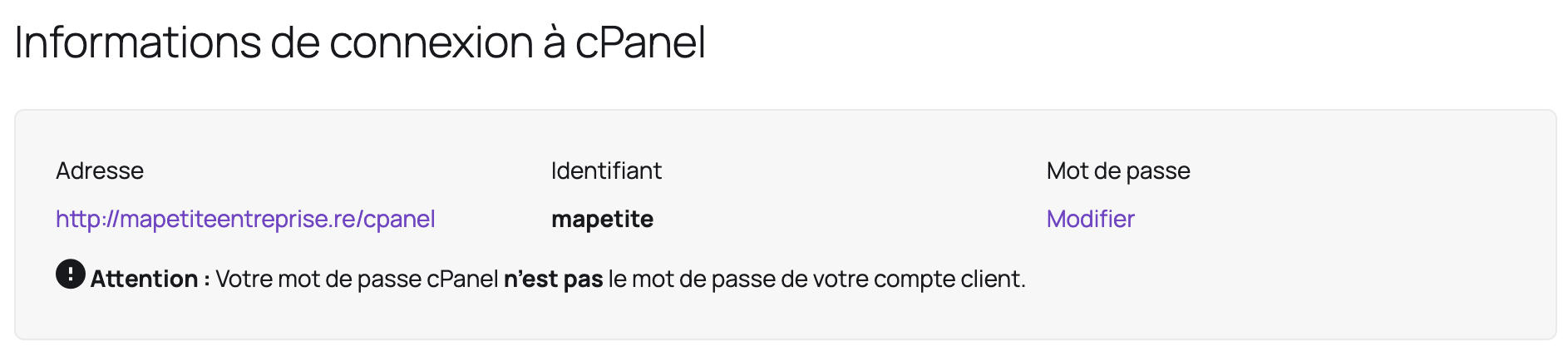
The username to use is your cPanel username, which you can find in your Client Area under "My services":
- Click the relevant hosting service:
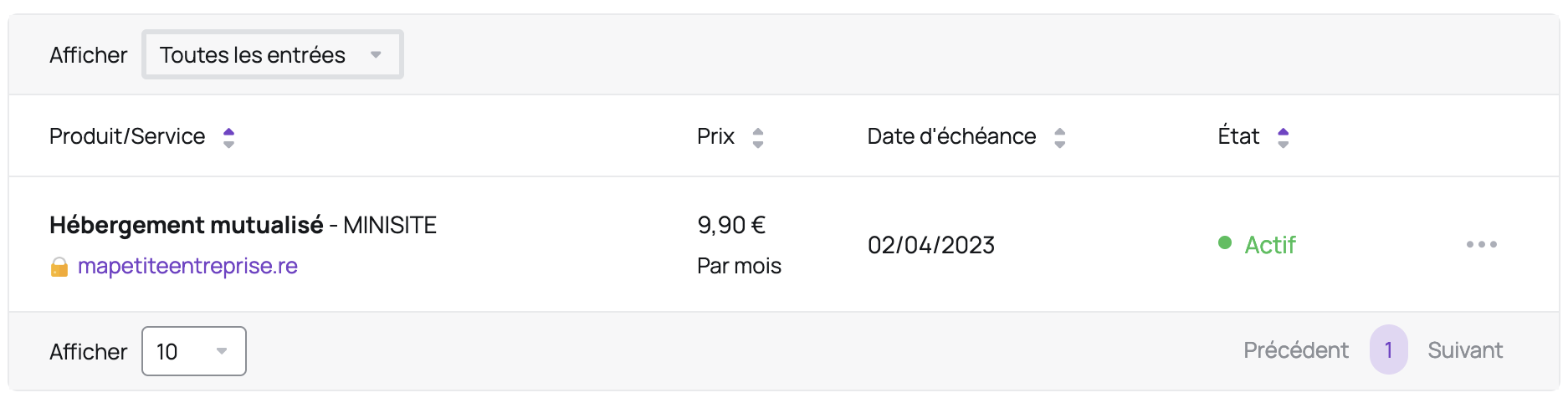
- Your username is located in the "cPanel connection information" section:
Password
SSH access uses your cPanel password.
SSH Key
Here are the instructions for adding an SSH key:
- Log in to your cPanel
- In the "Security" section, choose "SSH Access"
- Click the "Manage SSH Keys" button
- Click the "Import Key" button
- Give your SSH key a name
- Paste your public key into "Paste the public key in the following text box" (you can ignore the other fields)
- Click the "Import" button
- In the "Public Keys" section, click the "Manage" link next to the newly imported key
- Click the "Authorize" button
Updated on: 17/07/2026
Thank you!