
How do I reduce my disk space usage?
How do I find large files on my server?
- Log in to your cPanel
- In the "Files" section, choose "Disk Usage"
- Wait a few moments for "Loading" to disappear - the time depends on how many files are on your server
- Scroll down to "Sort directories by" and click "Disk Usage"
- You'll then see your directories, sorted by size, and you can click the chevron on the left for details on subdirectories (the "mail" directory contains your emails):
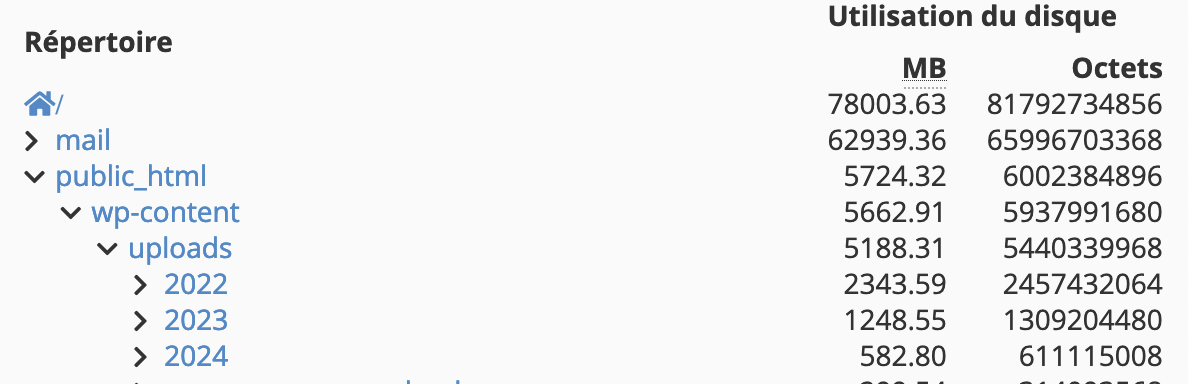
- Clicking on a directory name opens it in the File Manager, which lets you delete files and folders by clicking "Delete".
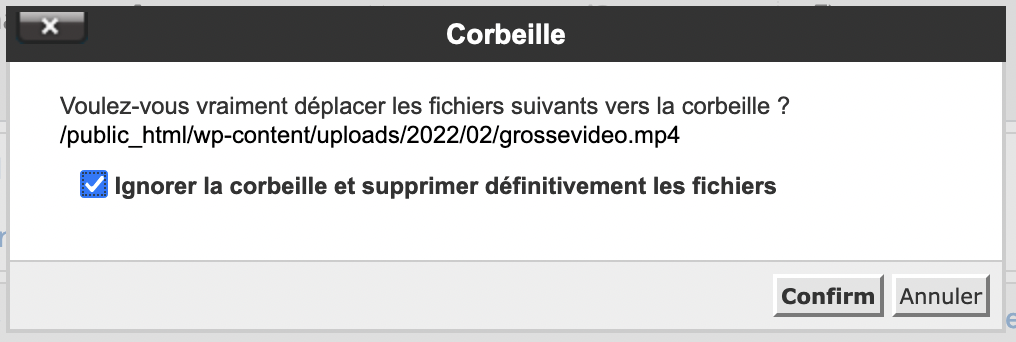
- Be sure to check "Skip the trash and permanently delete the files", otherwise the files will remain in your trash and will still take up space:
For example, we recommend hosting videos on third-party services like YouTube or Vimeo.
If you delete a file by mistake, you can restore it using our backups.
How do I clean up my WordPress database?
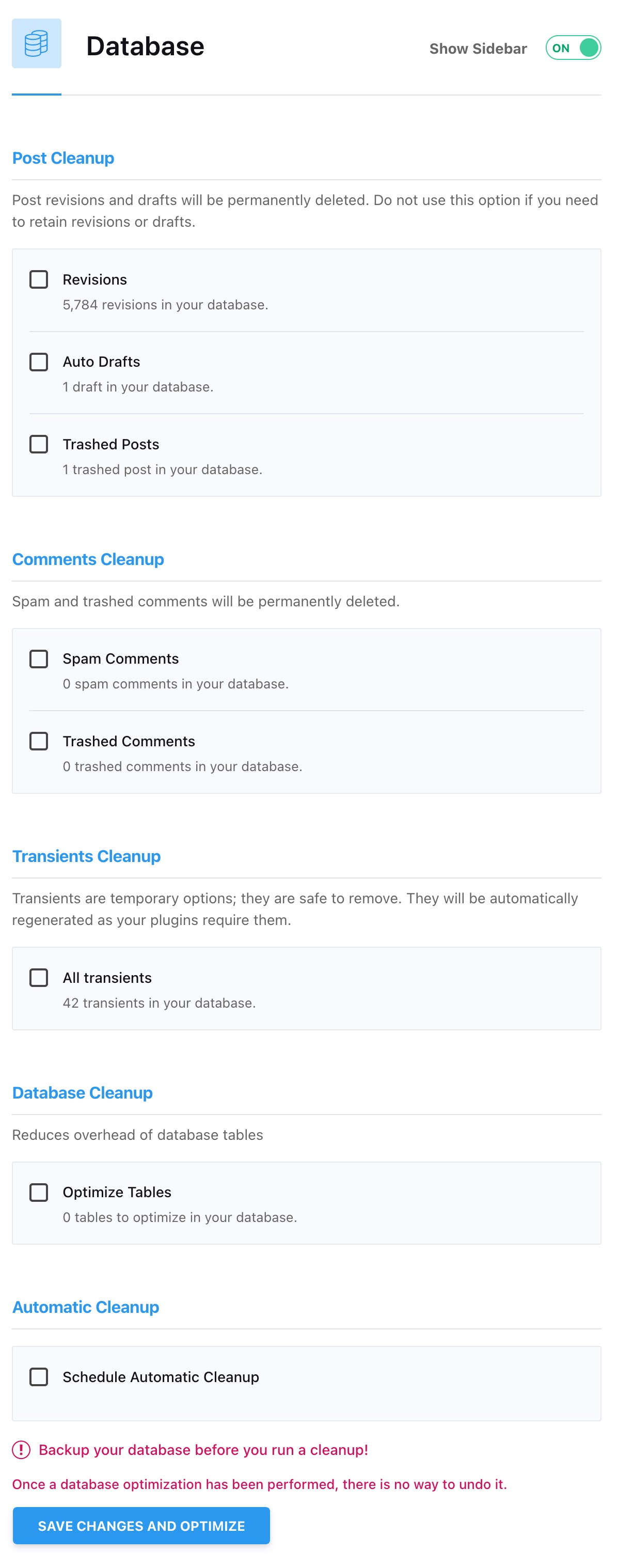
WordPress stores various content in its database that you may not need, such as different versions of your posts. You can use AccelerateWP to clean up your database, either once or on a regular basis, in the Database section:
How do I clean up mailboxes?
- Log in to your cPanel
- In the "Emails" section, choose "Email Accounts"
- Click "Used" in the "Storage" section:
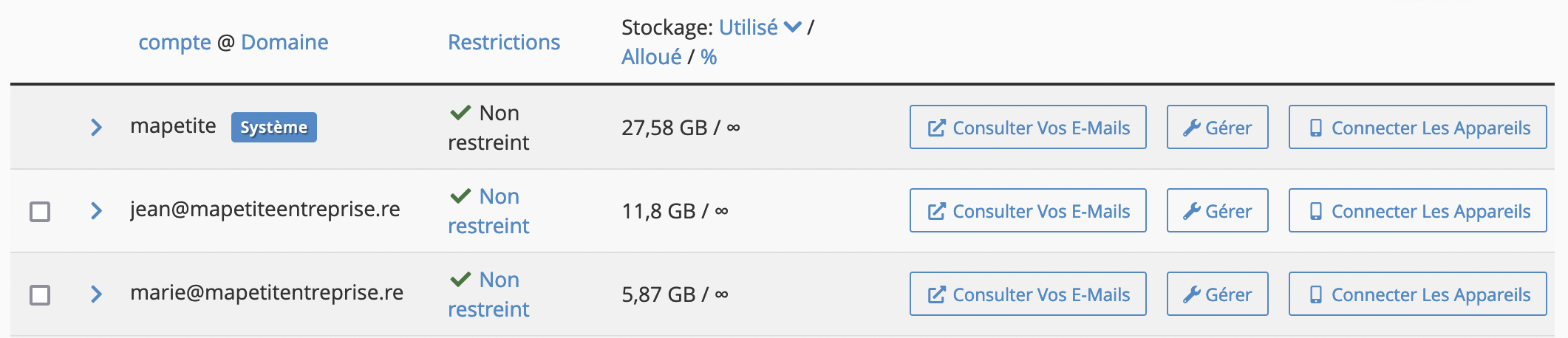
- The account labeled "System" is your hosting's default account, where certain emails may arrive depending on your server's configuration (for example, bounced emails, scheduled task logs, etc.).
- Click the "Manage" button for the mailbox you want to clean up.
- In the "More Actions" column, click "Free Up Email Storage"
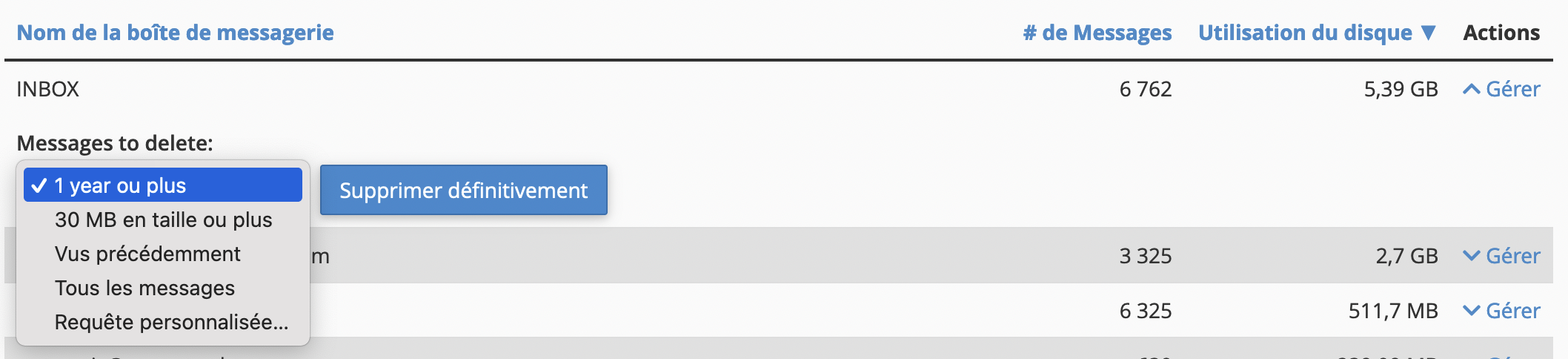
- The mailbox's various folders are displayed, and by clicking "Manage" you can purge messages according to predefined rules or rules you can customize:
The "Free Up Email Storage" feature is also available to your users from webmail, so you can invite them to clean up their own mailbox.
Updated on: 17/07/2026
Thank you!