
How to fix the "Can't acquire lock for app" error?
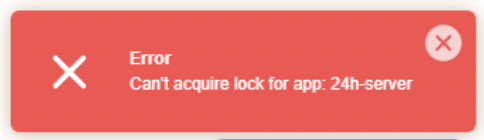
If you encounter a Can't acquire lock for app error when trying to start your Node.JS application, the most likely cause is that a script you launched via Run NPM Script is still running.
Unfortunately, you cannot stop it through the interface.
You will need to connect via SSH, and view the running processes with the ps ax command:
[mapetite@run1 ~]$ ps ax
PID TTY STAT TIME COMMAND
2509284 ? Sl 0:01 npm run-script start
2509375 ? Sl 0:02 /opt/alt/alt-nodejs18/root/usr/bin/node index.mjs
3127505 ? S 0:00 /bin/bash ./run.sh
3127510 ? S 0:00 /bin/bash /home/mapetite/actions-runner/run-helper.sh
3127515 ? Sl 4:04 /home/mapetite/actions-runner/bin/Runner.Listener run
3825502 ? S 0:00 /opt/alt/python37/bin/python3 -sbb /usr/share/l.v.e-manager/utils/cloudlinux-cli-user.py
3825694 ? Sl 0:01 npm run-script start
3825969 ? Sl 0:02 /opt/alt/alt-nodejs18/root/usr/bin/node index.mjs
4089815 pts/4 Ss 0:00 -bash
4090255 pts/4 R+ 0:00 ps axIt is usually the process /opt/alt/python37/bin/python3 -sbb /usr/share/l.v.e-manager/utils/cloudlinux-cli-user.py that you can stop by running the command kill -9 XXX where XXX is the PID of the process in question (first column of the information displayed by ps ax, 3825502 in the example above).
If you cannot locate it or are unable to resolve the issue, feel free to contact our technical support.
Updated on: 15/02/2026
Thank you!