
How to force the regeneration of my SSL certificate?
When placing a new order or when you add a domain to your account, the LetsEncrypt SSL certificate is automatically activated one to two hours after the domain is registered or its DNS servers are redirected to our DNS servers. If your domain's servers are properly configured before adding it, the certificate will be automatically generated at the time of addition.
If needed, you can manually trigger the SSL certificate generation process, and — if applicable — view the errors encountered (for example, if your domain does not yet point to our servers).
- Log in to your cPanel
- In the "Security" section, choose "SSL/TLS Status (AutoSSL)" (be careful not to choose just "SSL/TLS")
- Click the "Run AutoSSL" button
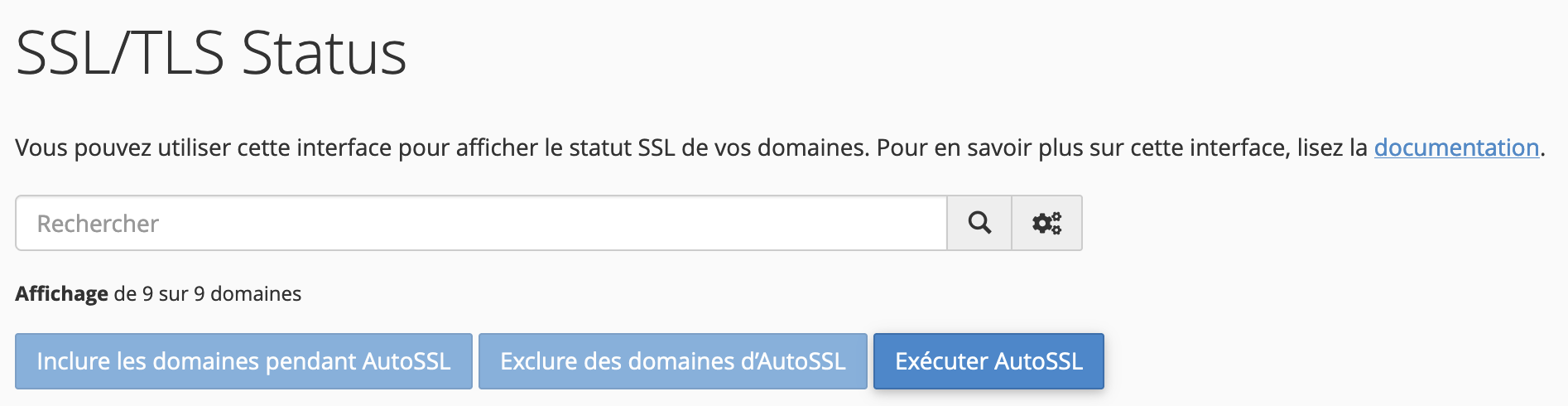
- The button will be replaced by "AutoSSL is in progress", then wait a few minutes. The page will reload automatically once the SSL certificates have been regenerated.
- You can then verify that your SSL certificates are active:
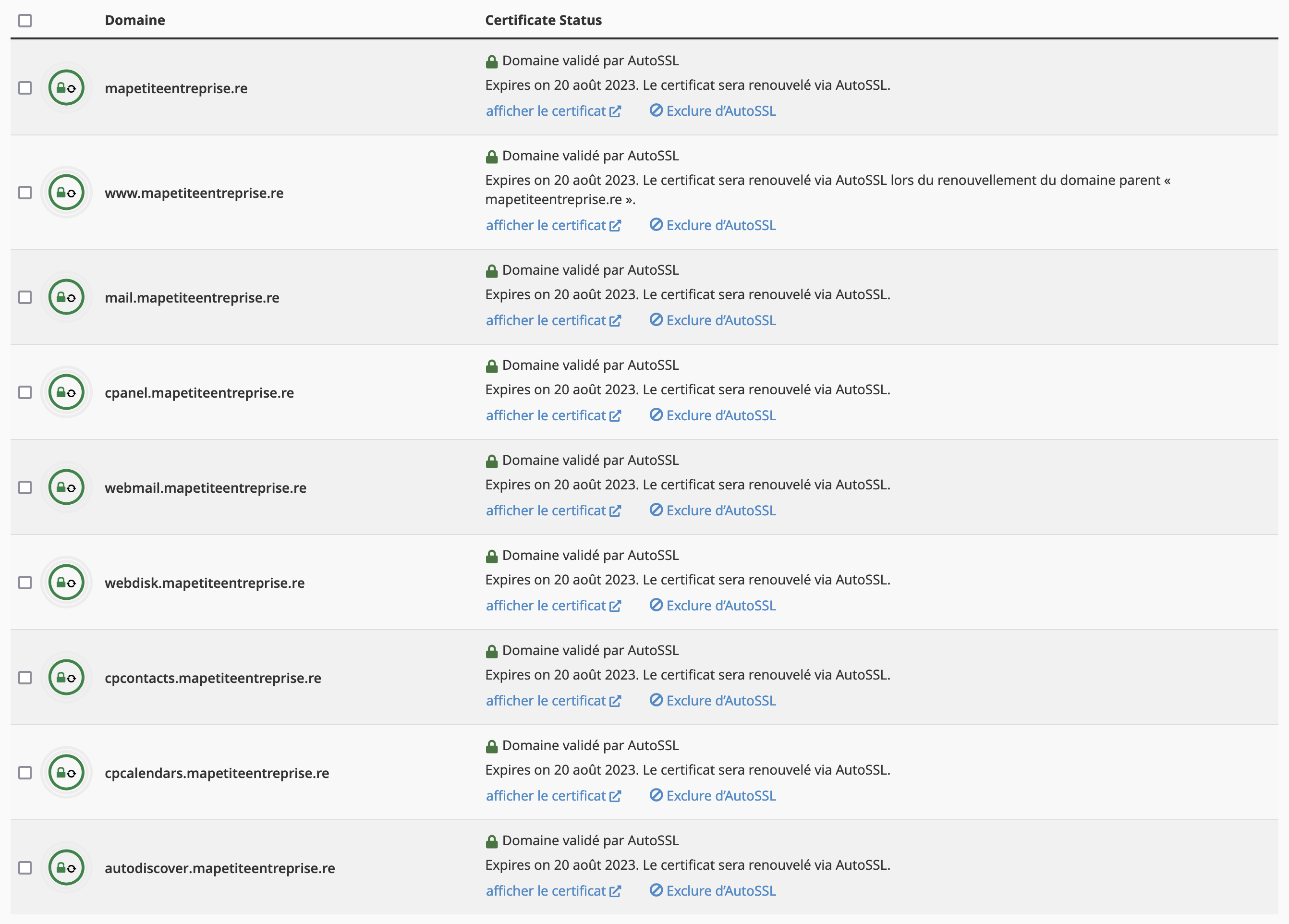
AutoSSL takes care of automatically renewing your SSL certificates before they expire.
Updated on: 21/02/2026
Thank you!