
How to change your plan?
If you wish to change the billing cycle (monthly to annual or vice versa), simply make the request to our sales department. The next invoice issued will then correspond to the new billing cycle chosen.
If you wish to change your plan, whether upgrading or downgrading, you can do so directly from your client area
- Log in to your client area
- In the "My Account" menu, choose "My Services"
- Click on "Web Hosting" in the row corresponding to the cPanel you wish to access
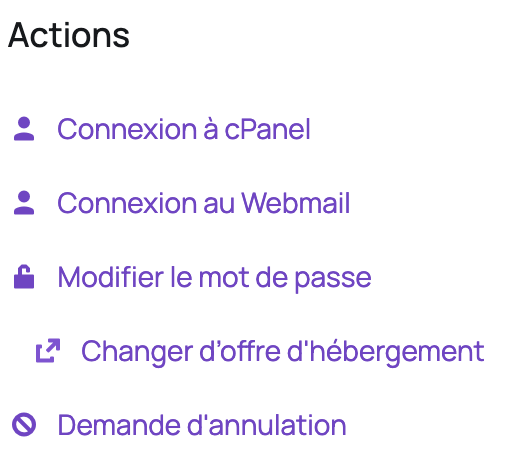
- On the left, under "Actions", click on "Change hosting plan":
- Choose the plan that suits you then click on "Choose this plan" and confirm the order.
The plan change will take effect when your invoice is paid, so if your request is urgent and you normally pay by direct debit or bank transfer, we recommend paying your invoice by credit card.
How is the total amount calculated?
Previous service |
|---|
Price per day * Number of days until the next due date = Credited amount |
The price per day in the calculation above is the recurring amount of the service divided by the number of days in the billing cycle. |
New service |
Price per day * Number of days until the next due date = Debited amount |
The price per day in the calculation above is the cost of the new service divided by the number of days in the billing cycle. |
Total to pay = Debited amount - Credited amount |
Good to know: if you downgrade to a lower plan, we credit you for the unused amount on your current plan, with no penalties. This credit will be used to pay your future invoices.
Updated on: 21/02/2026
Thank you!