
What to do when a malicious file is detected on your hosting?
Why did I receive this alert email?
You received this email because cpGuard, our security tool integrated into your web hosting, detected a malicious file (virus, backdoor, hacked script, etc.) on your space. This does not necessarily mean your entire site is compromised, but that a suspicious file was detected and has been cleaned / removed by cpGuard for your security.
Where can I see the list of detected files?
- Log in to your cPanel
- Click on the "cpGuard" icon in the "Security" section
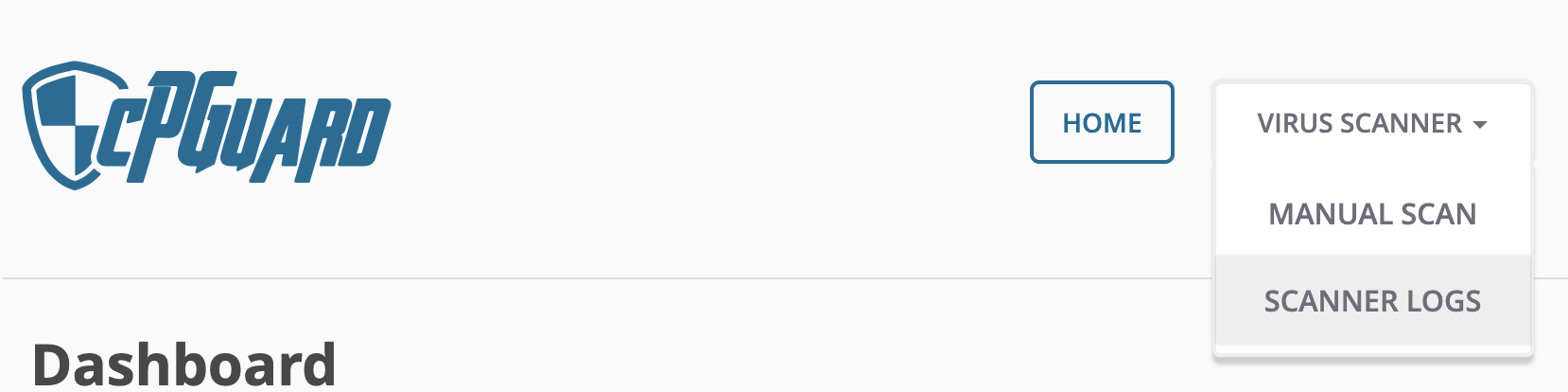
- Go to "Virus Scanner" then "Scanner Logs":
- You will see the list of detected files, and you can get more details by clicking on the file icon to the right of the row:
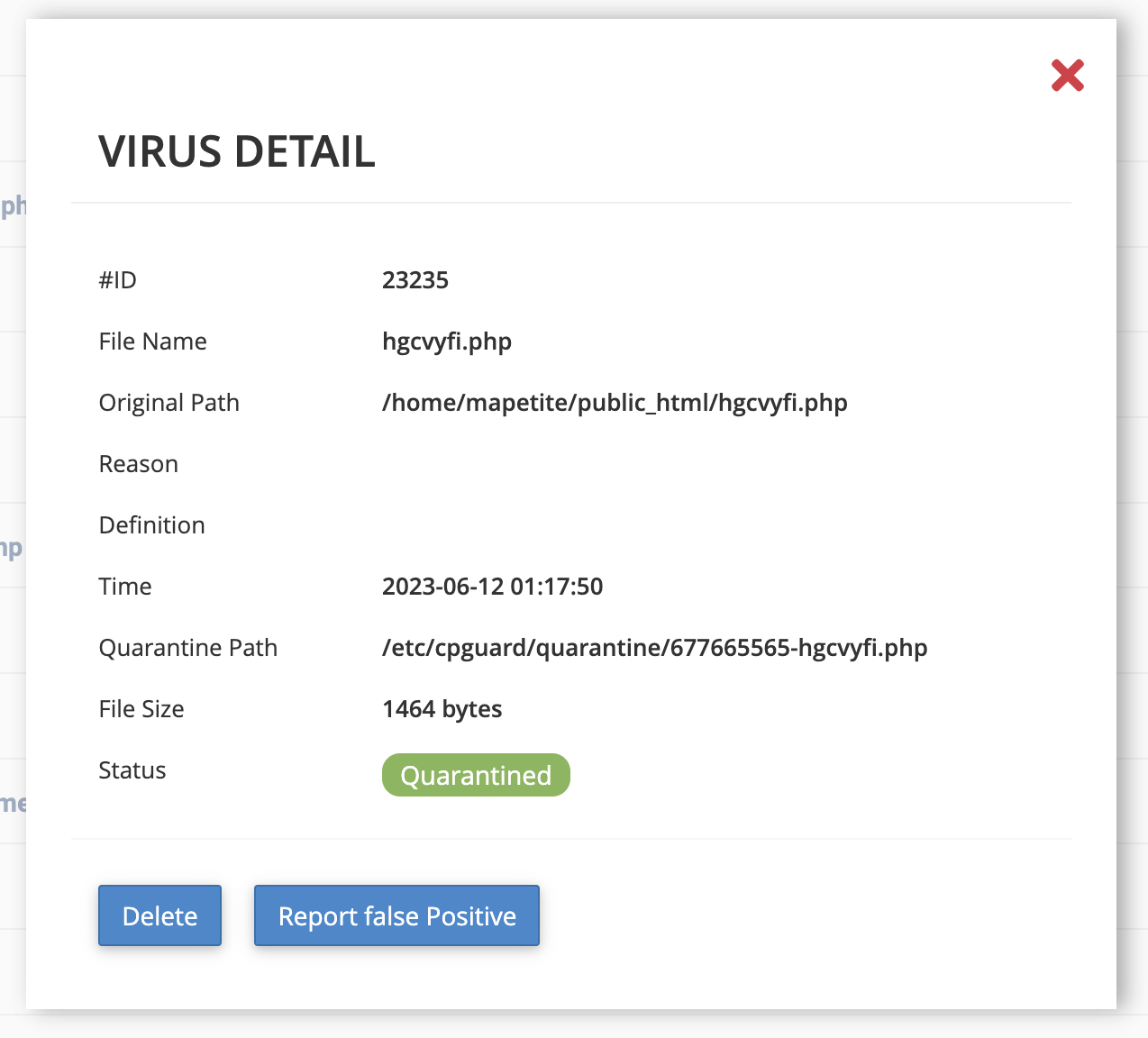
- Using the full path (Original Path), you can identify which site is affected if you are running multiple sites.
How to investigate the origin of the file?
- Log in to your cPanel
- Go to "Metrics" then "Raw Access" (Raw Access Logs)
- Download the files corresponding to your domain and the period covering the detection date (both SSL and non-SSL)
- Extract them on your computer
- Open the .log file with a text editor and search for lines around the detection date, particularly containing
POST(often used to upload or inject malicious code), for example
192.168.1.10 - - [12/Jun/2023:01:17:44 +0400] "POST /uploader.php HTTP/1.1" 200
- You can also look for IP addresses making many requests in a very short time or foreign IP addresses if your site does not target those regions (https://www.geolocation.com/fr can help you locate IPs)
What to do to prevent another attack?
- Update your CMS, plugins, and themes
- Change your passwords (cPanel, FTP, and CMS)
- Limit third parties who have access to your site
- If you use WordPress, consider subscribing to "WordPress Serenity"
What to do if you are lost?
If you don't know how to interpret the infected files or analyze the logs, don't panic.
Here is what to do:
- First contact your developer or webmaster- They know your site best and can quickly check your plugins, themes, or scripts.
- In most cases, a simple cleanup and update are enough to secure the site again.
- If you don't have a developer available
- The Hodi team can assist you with the analysis and cleanup.
- This service goes beyond standard support and will be subject to a specific quote, performed by our cybersecurity experts.
- Our role will be to:
- analyze the infected files and raw access logs,
- clean the compromised files,
- secure your site's configuration,
- advise you on best practices to prevent future infections.
- Don't hesitate to contact us to request this specialized service.
Updated on: 21/02/2026
Thank you!