
How to add a domain to your hosting?
First of all, register a new domain or transfer it to us. For your test environments, you can also choose a domain ending with preprod.hodi.cloud, for example mapetiteentreprise.preprod.hodi.cloud.
If you want to change your primary domain, you need to contact our technical support who are the only ones able to perform this operation.
With your Hodi hosting (except MINISITE), you can manage multiple domains easily on your server. The ARCHIPEL plan even allows you to have 50 websites on the same hosting.
Alias or additional site: what is the difference?
When you add a domain in cPanel, three options are available to you:
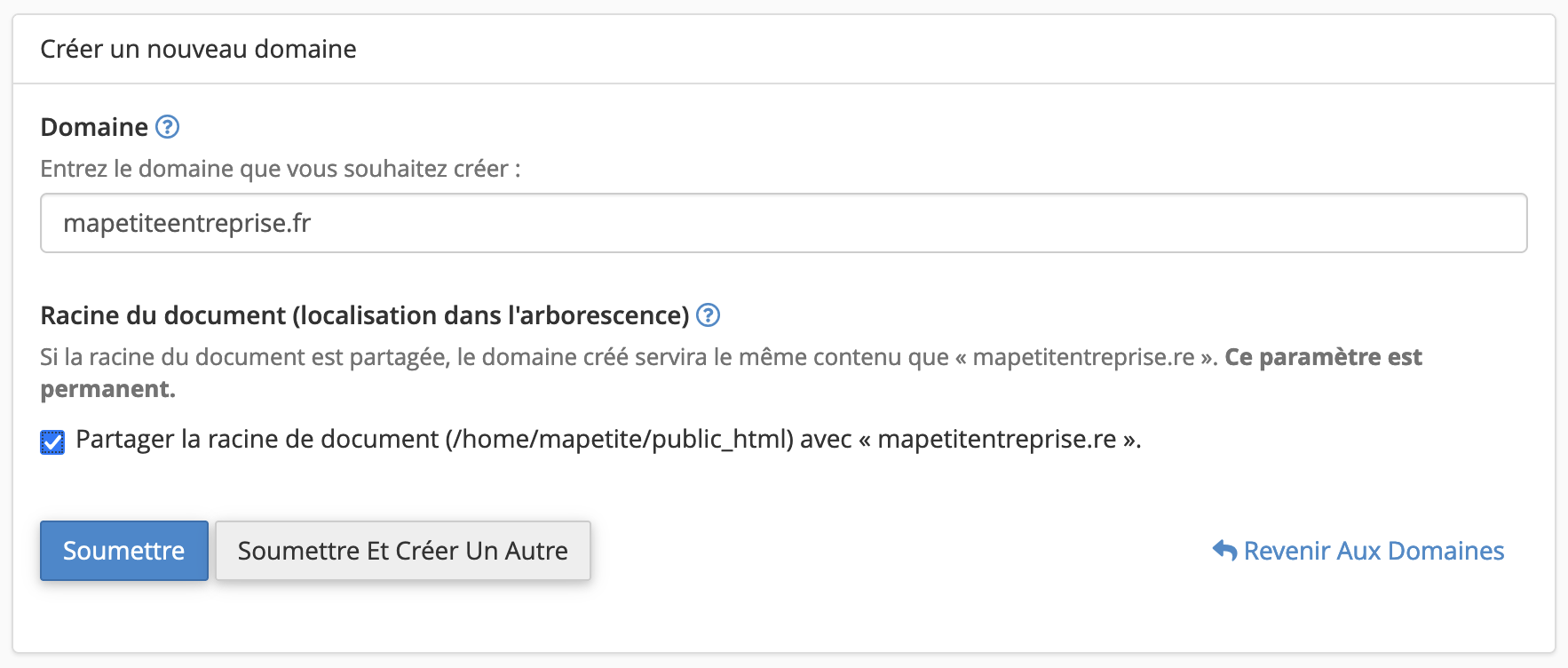
- Alias: ideal if you want multiple addresses to lead to the same website. For example, mapetiteentreprise.re and mapetiteentreprise.com will display exactly the same content. This is convenient for protecting your brand with multiple domain extensions.
- Additional site (multi-site): perfect if you want to host multiple distinct websites on the same account. Each domain has its own file directory and can host a different site (for example, your main website on one side, and a separate blog or store on the other).
- Subdomain: useful for separating a section of your site (blog, store, client area) without purchasing a new domain.
Steps to add a domain
- Log in to your cPanel.
- In the "Domains" section, choose "Domains".
- Click the "Create A New Domain" button.
- Enter the domain you want to use (you do not need to enter the domain with "www", it is automatically created).
Case 1: Create an alias
- Check the "Share document root" box:
Case 2: Create an additional site (multi-site)
- Uncheck the "Share document root" box:
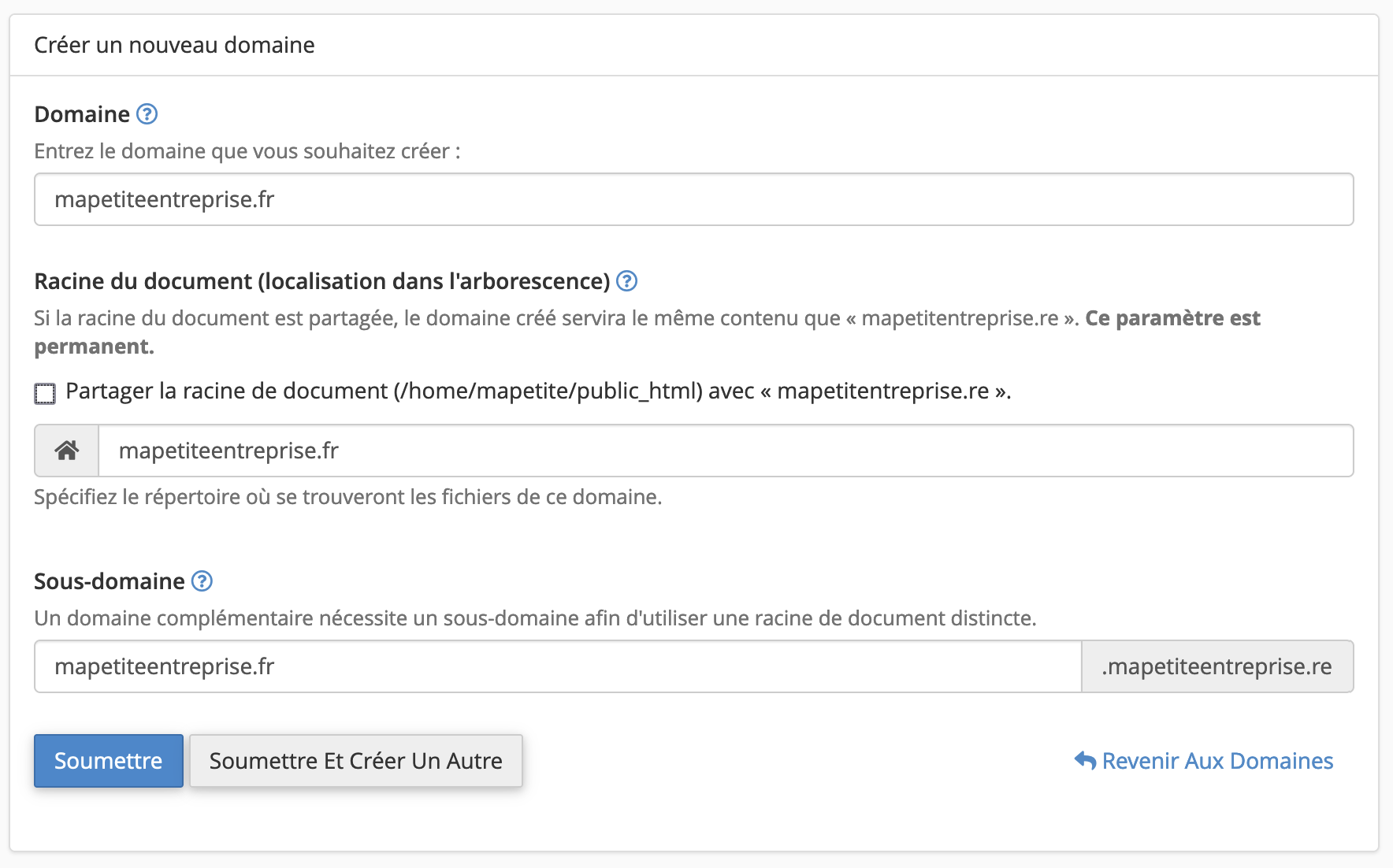
- cPanel will create a dedicated directory (accessible via FTP), but you can change it if needed (avoid placing the folder inside "
public_html"). - A subdomain will also be automatically generated: it allows you to access the site while waiting for DNS propagation of your new domain (required even if you do not use it).
Case 3: Create a subdomain of the main domain
- You can follow the instructions from the second case - Create an additional site - by entering your subdomain in the Domain field.
- The "Share document root" box will be automatically unchecked and your subdomain will behave like an additional domain.
Go further:
- How to change the PHP version of your hosting?
- How to modify the PHP options of your hosting?
- How to redirect your domain name to your Facebook page or another website?
- How to create email accounts or forwarders?
- How to add a subdomain to your hosting?
Updated on: 21/02/2026
Thank you!