
How do I change the DNS servers for a domain name?
You can change your DNS servers at any time, for example if you want to use Cloudflare.
- Log in to your client area
- In the "My account" menu, go to "Domain Names"
- Click the three dots at the end of the row for your domain name:
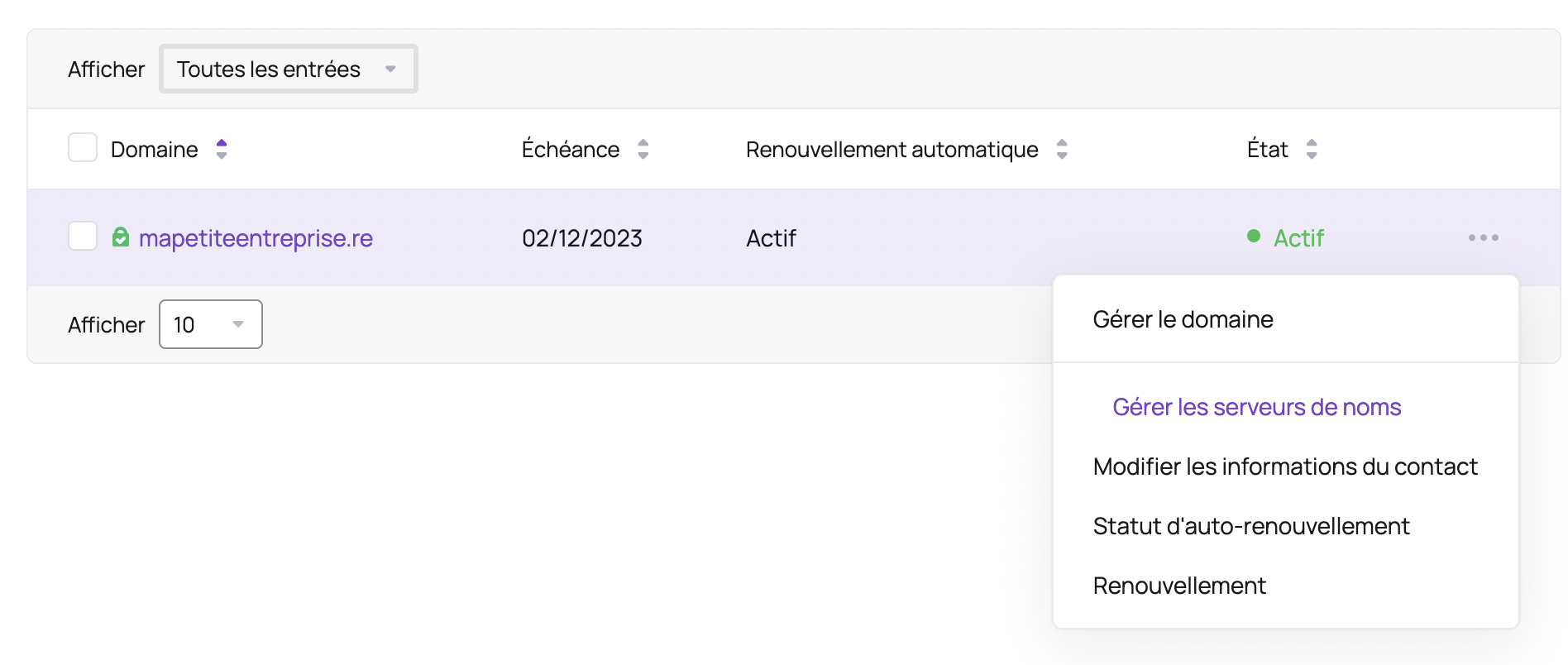
- Choose the "Manage Nameservers" option
- Check the "Use custom nameservers (enter below)" box and enter the DNS servers you want:
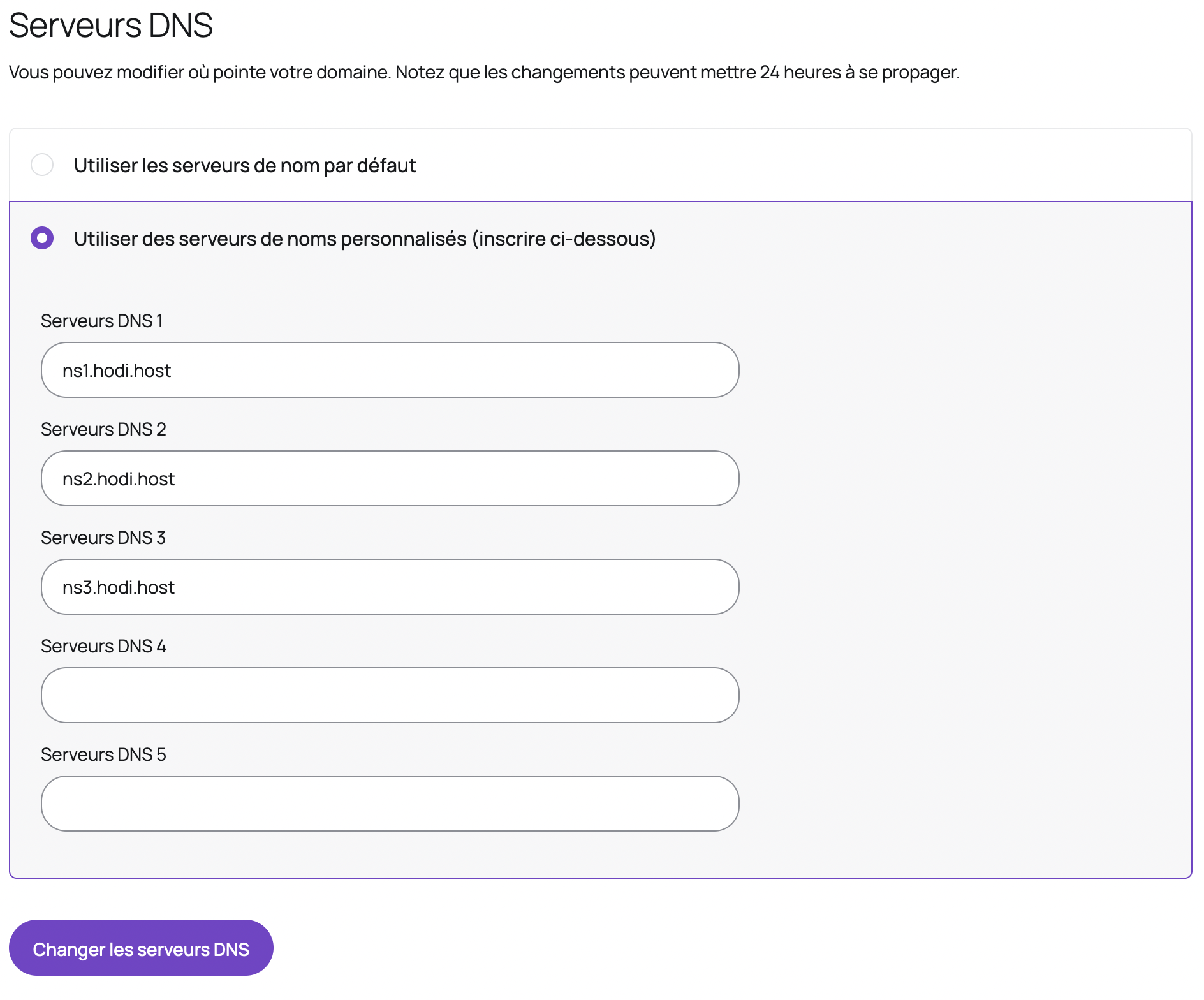
- Click "Change DNS Servers"
Warning: an incorrect change to your DNS servers could make your site unavailable or block delivery of your emails.
Updated on: 17/07/2026
Thank you!