
How do I set up an automatic reply on my mailbox?
Our hosting plans let you set up automatic replies on your mailboxes. For example, you can create an automatic reply to indicate that you're out of office.
To create an automatic reply:
- Log in to your cPanel
- In the "Email" section, choose "Autoresponders"
- Select a domain, then click "Add Auto Responder"
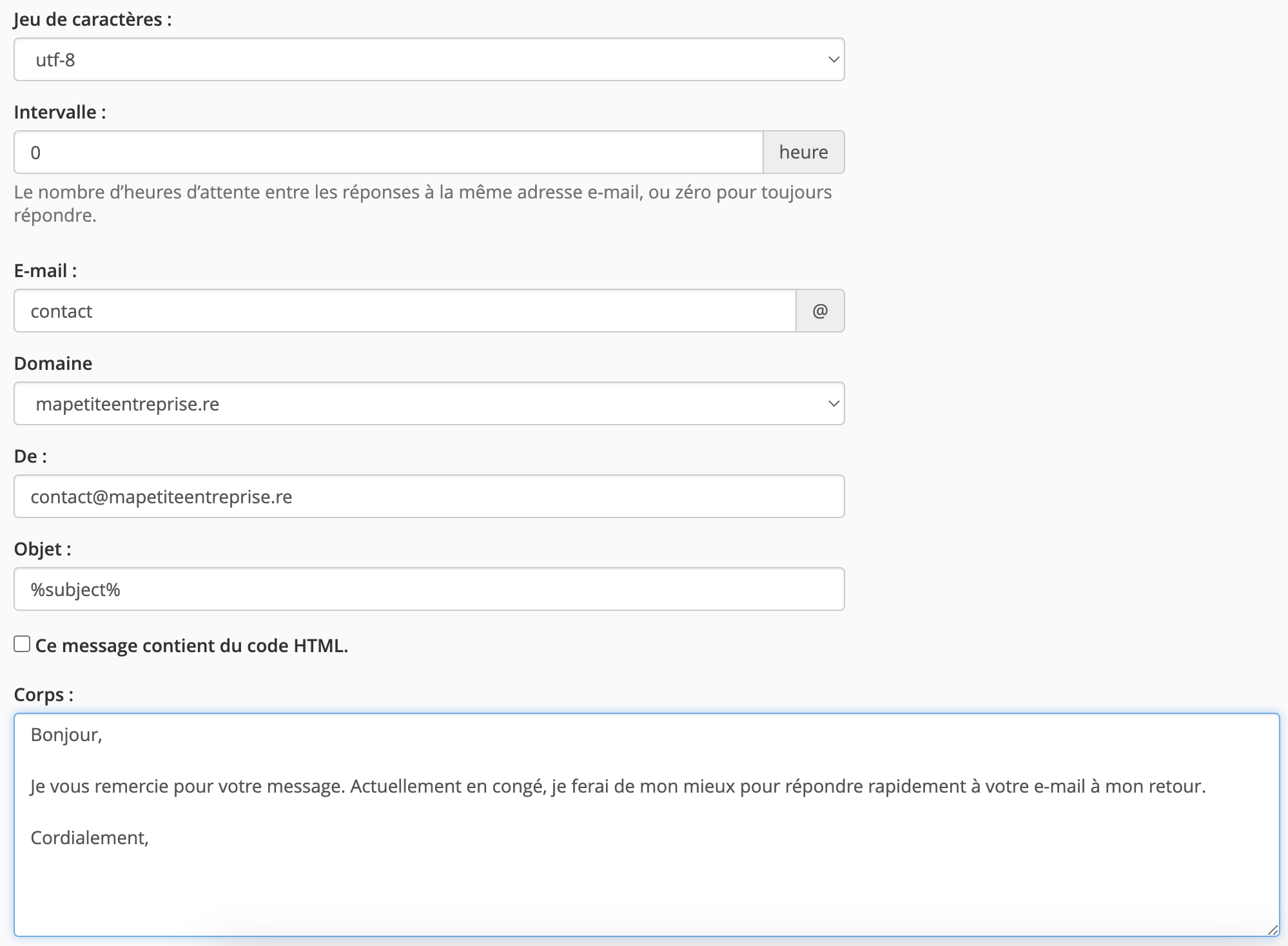
- Fill in:
- the reply interval for the email (0 if you want it to be immediate)
- the mailbox this automatic reply applies to, using the "Email" field
- the email address you want displayed for this automatic reply, using the "From" field
- the email subject (%subject%, if you want the reply email to keep the same subject as the sender's email)
- And add your message in the "Body"
- Select when you want this automatic reply to start and stop, then click "Create".

Updated on: 17/07/2026
Thank you!