
How do I add a domain to my hosting?
First, register a new domain or transfer it to us. For your test environments, you can also choose a domain ending in preprod.hodi.cloud, for example mapetiteentreprise.preprod.hodi.cloud.
If you would like to change your primary domain, you need to contact our technical support, as only they can make this change.
With your Hodi hosting (except MINISITE), you can easily manage several domains on your server. The ARCHIPEL package even allows you to have 50 sites on the same hosting account.
Alias or additional site: what's the difference?
When you add a domain in cPanel, you have three options:
- Alias: ideal if you want several addresses to lead to the same site. For example, mapetiteentreprise.re and mapetiteentreprise.com will display exactly the same content. This is handy for protecting your brand with several domain extensions.
- Additional site (multi-site): perfect if you want to host several separate sites on the same account. Each domain has its own file directory and can host a different site (for example your main site on one side, and a separate blog or store on the other).
- Subdomain: handy for separating a section of your site (blog, store, client area) without buying a new domain.
Steps to add a domain
- Log in to your cPanel.
- In the "Domains" section, choose "Domains".
- Click the "Create A New Domain" button.
- Enter the domain you want to use (you don't need to enter the domain with "www", it is created automatically).
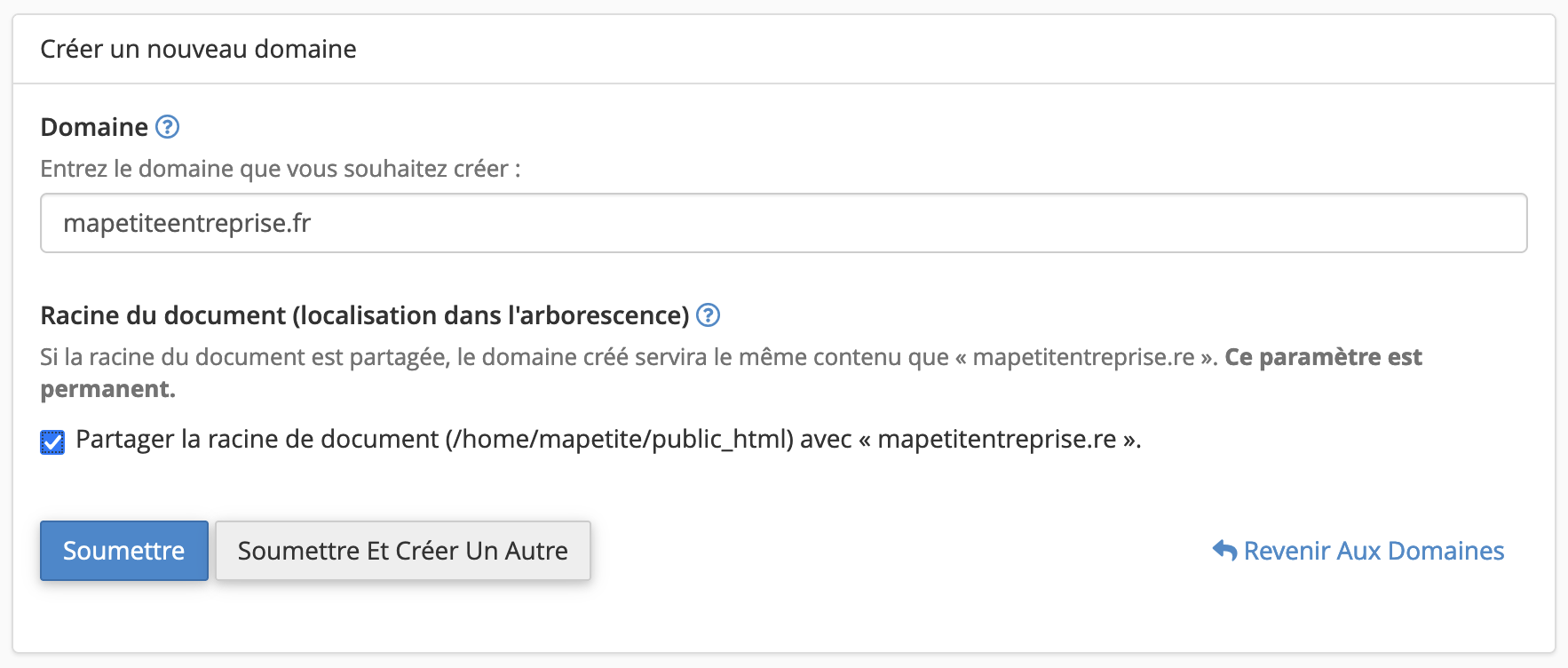
Case 1: Create an alias
- Check the "Share document root" box:
Case 2: Create an additional site (multi-site)
- Uncheck the "Share document root" box:
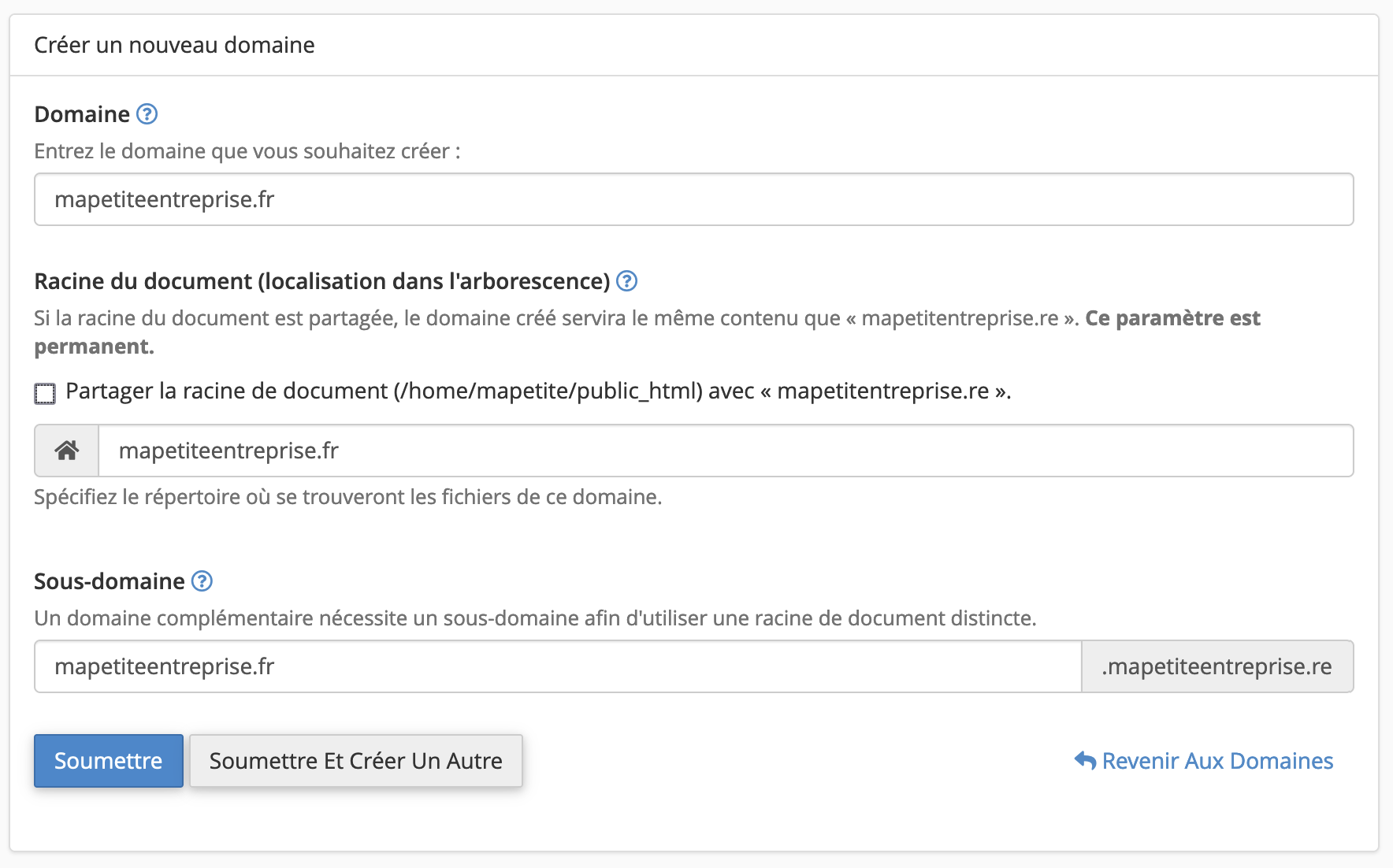
- cPanel will create a dedicated directory (accessible via FTP), but you can change it if needed (avoid placing the folder inside "
public_html"). - A subdomain will also be generated automatically: it allows access to the site while your new domain's DNS propagates (required even if you don't use it).
Case 3: Create a subdomain of the primary domain
- You can follow the instructions from the second case - Create an additional site - by entering your subdomain in the Domain field.
- The "Share document root" box will be automatically unchecked and your subdomain will behave like an additional domain.
Go further:
- How do I change my hosting's PHP version?
- How do I modify my hosting's PHP options?
- How do I redirect my domain name to my Facebook page or another site?
- How do I create email accounts or forwarders?
- How do I add a subdomain to my hosting?
Updated on: 17/07/2026
Thank you!