
How do I fix the "Can't acquire lock for app" error?
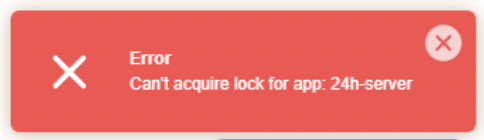
If you get a Can't acquire lock for app error when trying to launch your Node.JS application, the most likely cause is that a script you started via Run NPM Script is still running.
Unfortunately, you cannot stop it from the interface.
You will need to connect via SSH, and view the running processes with the ps ax command:
[mapetite@run1 ~]$ ps ax
PID TTY STAT TIME COMMAND
2509284 ? Sl 0:01 npm run-script start
2509375 ? Sl 0:02 /opt/alt/alt-nodejs18/root/usr/bin/node index.mjs
3127505 ? S 0:00 /bin/bash ./run.sh
3127510 ? S 0:00 /bin/bash /home/mapetite/actions-runner/run-helper.sh
3127515 ? Sl 4:04 /home/mapetite/actions-runner/bin/Runner.Listener run
3825502 ? S 0:00 /opt/alt/python37/bin/python3 -sbb /usr/share/l.v.e-manager/utils/cloudlinux-cli-user.py
3825694 ? Sl 0:01 npm run-script start
3825969 ? Sl 0:02 /opt/alt/alt-nodejs18/root/usr/bin/node index.mjs
4089815 pts/4 Ss 0:00 -bash
4090255 pts/4 R+ 0:00 ps ax
This is usually the /opt/alt/python37/bin/python3 -sbb /usr/share/l.v.e-manager/utils/cloudlinux-cli-user.py process; you can stop it by running the kill -9 XXX command, with XXX being the PID of the process in question (first column of the information shown by ps ax, 3825502 in the example above).
If you can't locate it or can't manage to stop it, feel free to contact our technical support.
Updated on: 17/07/2026
Thank you!